

Following their teaser video released earlier this year, Microsoft is updating Windows 10 with a new start menu, Alt + Tab, and Taskbar layout.
Start Menu
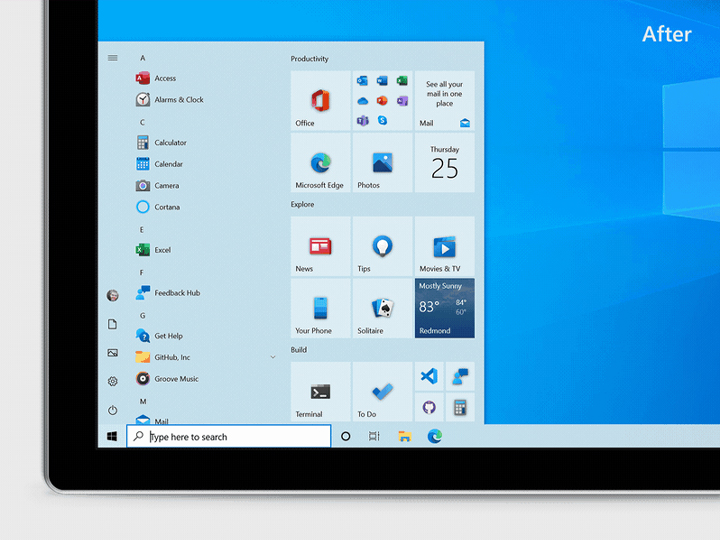
Starting with the new start menu, Microsoft is removing solid color backplates behind the logos in the apps list. Instead, the Windows 10 update is adding an opaque background to the tiles.
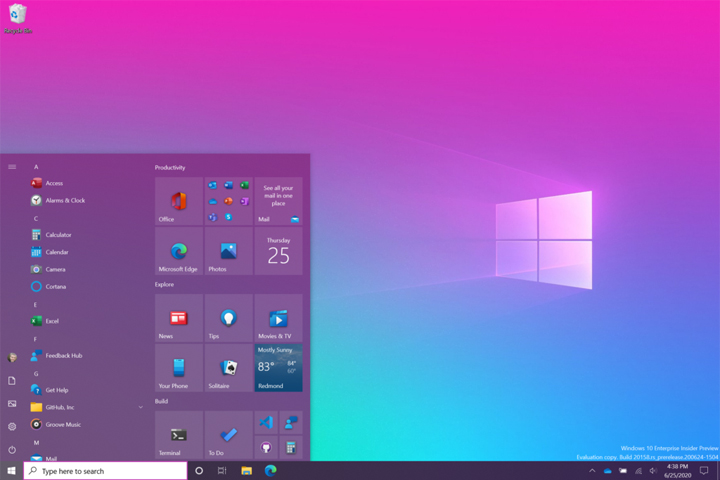
If you’re looking for more colors beyond the typical dark and light theme, you can toggle “Show accent color on the following surfaces” for “Start, taskbar, and action center” under Settings > Personalization > Color. This will apply your chosen accent color to the Start frame and tiles.
Alt + Tab
Microsoft is adding Edge support to its Alt + Tab functionality. When you press the Alt + Tab key, each open tab on the Microsoft Edge browser will appear to allow users faster switching between apps and browser tabs.
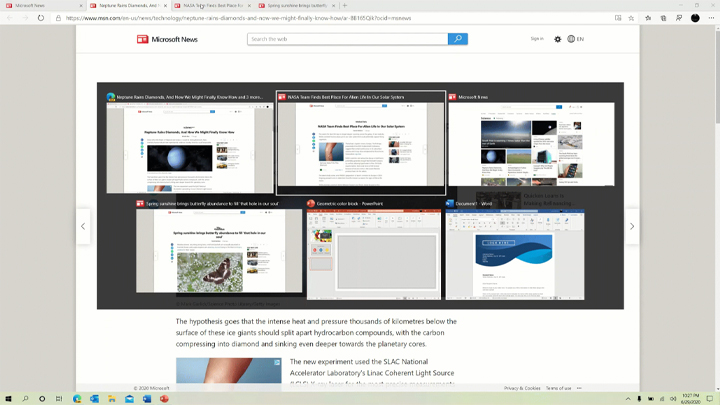
For users that would rather have fewer tabs, or the original Alt + Tab experience, you can edit your preferences under Settings > System > Multitasking. Here, you can configure Alt +Tab to show your last three or five tabs, or choose to turn this feature off.
Task Bar, Notifications,
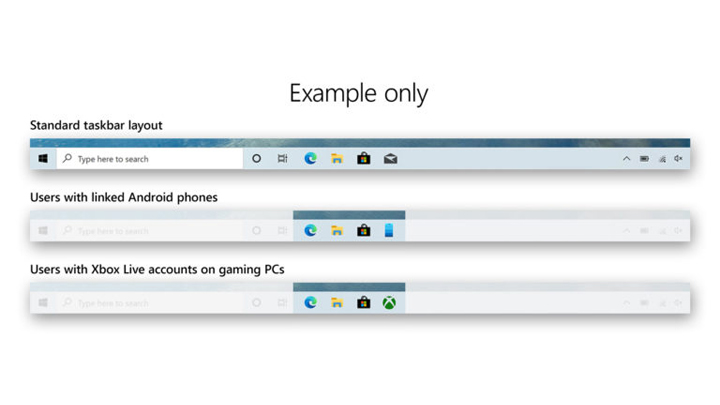
Microsoft is also changing how the Task Bar looks for new users with tailored apps linked in the Task Bar. Users with linked Android phones will now see a phone icon, while users with Xbox Live accounts will have the Xbox app pinned.
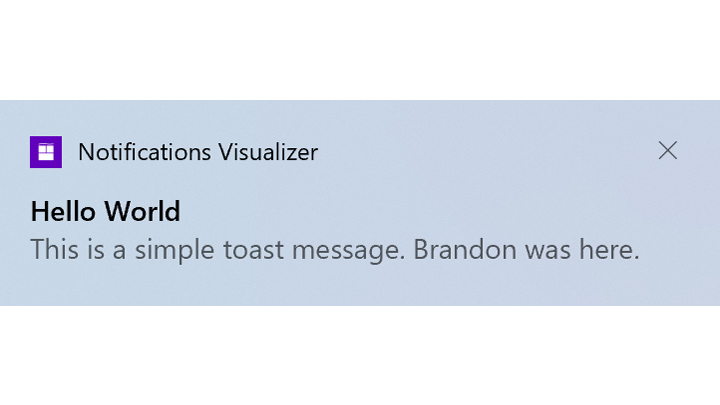
System notifications have also been revamped, now showing the App’s logo on top, and an X icon to dismiss it.






0 Comments
Leave a Reply