
Google’s image search feature has been around for a long time using the link images.google.com where you can make a search query using an image. Then Google Lens came in with added functionalities such as extracting and translating texts from the image. The said feature is now integrated into Google’s homepage.

“The google homepage doesn’t change often, but today it did,” said Rajan Patel, Google’s VP of Engineering for Search. Google Lens now sits on the search bar (camera icon) along with the voice search icon. That applies to the Google app and widgets on mobile devices too.

On desktop, once you click on the camera icon, you’ll see the same UI in the screenshot above, which resembles the Google Image Search. From there, you easily can drop or upload an image file, or even paste an image link.

After you drop or upload an image, you’ll be redirected to the Google Lens page and get visual matches of the image from the web. You can then extract and translate texts as long as it’s legible.
It’s a different approach on mobile devices where it launches the Google Lens camera instead. It also has more camera modes like Homework, Shopping, Places, and Dining.
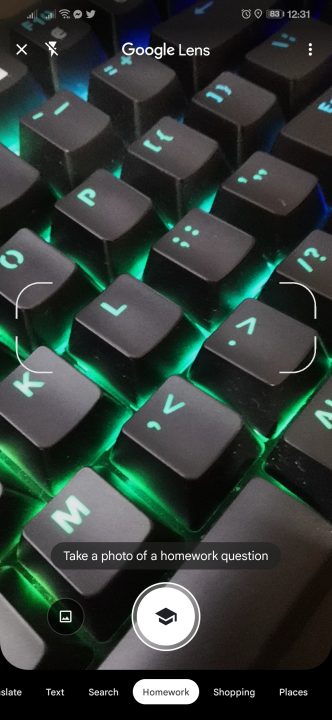
“We’re always working to expand the kinds of questions you can ask and improving how we answer them. Now you can ask visual questions easily from your desktop,” said Patel.
Though, Google Lens is technically available all this time, it wasn’t as accessible as it is now. Previously, Google Lens also can be accessed via Chrome browser with a simple right-click on an image or using an extension with other browsers.
Google Lens was initially available as an exclusive feature on Pixel devices in 2017, then they made it available to Android and iOS in 2018 via Google Photos app.





0 Comments
Leave a Reply