
Google has officially launched its AI-powered note-taking app, NotebookLM, for both Android and iOS platforms, marking a significant expansion of its capabilities beyond desktop use. The mobile app retains the core functionalities of its desktop counterpart, including the ability to upload various sources for summarization and generate AI-powered Audio Overviews. These podcast-like summaries can be played in the background or offline, offering users a convenient way to stay informed while multitasking.
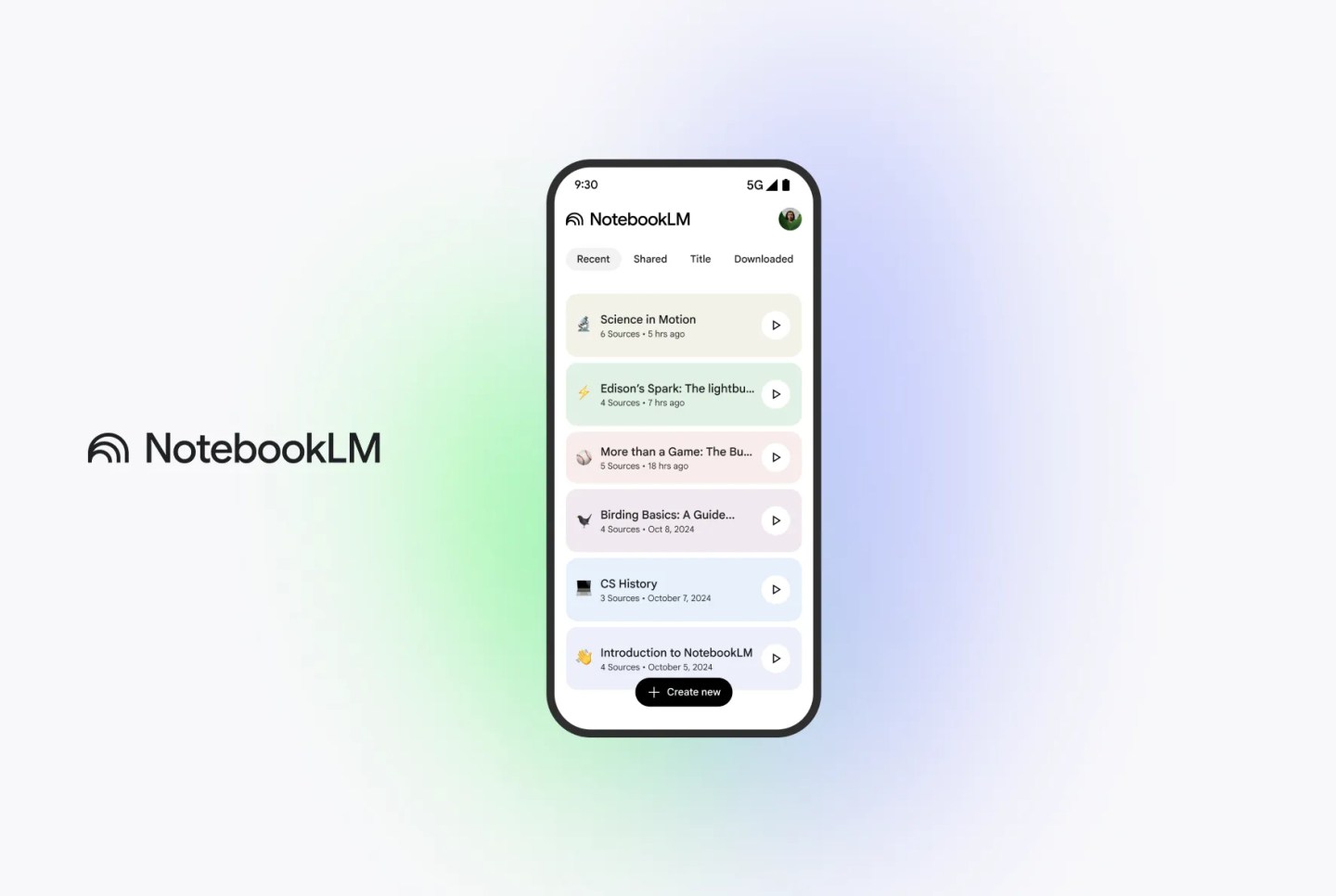
NotebookLM, initially introduced as Project Tailwind at Google I/O 2023, was designed to assist users in organizing and interacting with their documents through AI. The mobile app’s release comes just ahead of the Google I/O 2025 conference, reflecting the company’s ongoing emphasis on AI developments.
The app allows users to upload documents, create multiple notebooks based on specific topics, and query their notes to retrieve precise information quickly. Users can also share content directly to NotebookLM from other apps, such as websites, PDFs, or YouTube videos, by tapping the share icon and selecting NotebookLM.

NotebookLM is powered by Google’s latest Gemini language model, which supports up to 1 million context windows. This enables the app to provide detailed summaries and insights based on the user’s uploaded content. The Audio Overviews feature, which transforms documents into conversational, podcast-like audio summaries, has been expanded to support over 50 languages, including Spanish, Portuguese, French, Hindi, Turkish, Korean, and Chinese.
The mobile app is now available on the App Store for iOS 17+ devices and on the Google Play Store for Android 10+ devices. Users can download the app and start organizing their notes and research materials with the help of AI.




0 Comments
Leave a Reply