


After about a week of heavy use of the Apple iPad, I’ve gotten down to familiarize myself with Steve’s new toy. Check out my personal review of the iPad after the jump.
I insisted on writing this entire review on the iPad to see if I can crack it. I used Notes to write the text as the WordPress Dashboard has some limitations with the Safari browsing not fully rendering iframes.
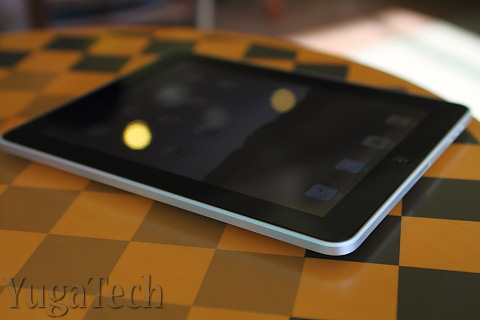
The photos though were transferred from my dSLR, edited and uploaded to Picasa Web using a PC. Now that the photos are in the cloud, I can include them in the post by linking to them. This part is impossible to do on the iPad.
This exercise gave me a better perspective on how the iPad performs and is instrumental for coming up with my final thoughts and conclusion for the review.
Design and Construction
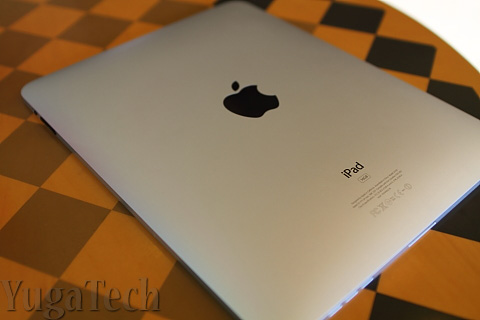
For a first-generation tablet from Apple, the iPad is surprisingly thin and light. The body is completely made of solid aluminum that encases a thick solid piece of glass. Simplicity and minimalist approach has been Apple’s signature and the iPad offers just that.
Aside from the lonesome Home button at the bottom of the display, the power button is positioned on top, the volume rocker on the right side along with the screen orientation lock. The toggle allows you to lock the screen to a specific orientation so the display doesn’t rotate when you’re lying down (like on a couch or in bed). The built-in speakers are also found on the bottom while the 3.5mm headphone jack is on top.
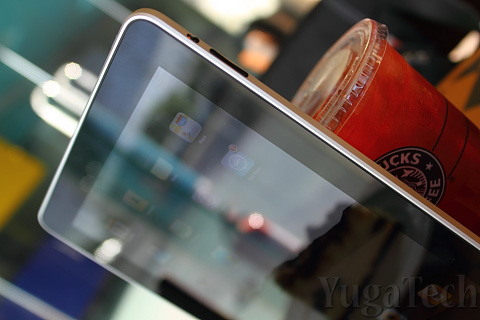
The design is pretty solid and the device is so thin it rivals even the thinnest smartphones out there. Being lightweight and thin is key to the portability of the device. It makes it more comfortable to hold with one hand for prolonged periods of time.
Display and Touchscreen
Size does matter and the iPad’s form factor offers a great combination between portability and mobile computing. The screen size is perfect for watching movies, viewing photos and reading text or browsing at a comfortable distance minus the crouching or squinting most people do with an iPhone, iPod Touch or any smartphone. This allows for prolonged use of the device without straining the eyes too much.
Those familiar with the display of the iPhone and the iPod Touch will be pleasantly surprised with the screen of the iPad. It’s not the best display I’ve seen (Super AMOLED display is still very expensive at this size) but the graphics are crisp and bright. The wide black bezel allows enough space for hand-holding the tablet without blocking the screen.
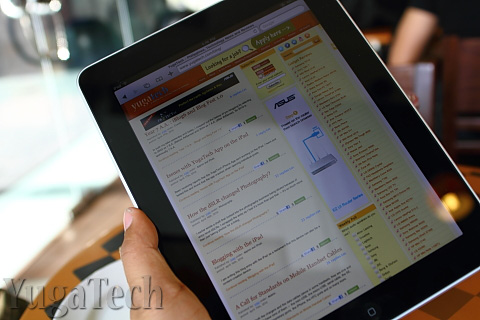
Of course, as with most shiny glass display, the screen is practically useless in the outdoors, under the sun or against a bright light source. This could be one of the biggest reasons why Kindle users will not give up their e-readers in exchange of the iPad.
The virtual keyboard is sized and spaced generously that allows for comfortable typing. I reckon I am able to do 30 – 40 words per minute with it. Not bad considering I’m no touch-typist.
Performance and Battery Life
The 1.0GHz A4 chip may not be the fastest processor around if you compared it to the ones running most netbooks these days but since the iPad runs on the iPhone OS, the system performs really well.
I think Apple did the right move of using the iPhone OS instead of the Mac OS. One can only imagine how the iPad will perform with OS X considering the processor used and the amount of memory on-board. Besides, how else can Apple make more money from its iTunes ecosystem?
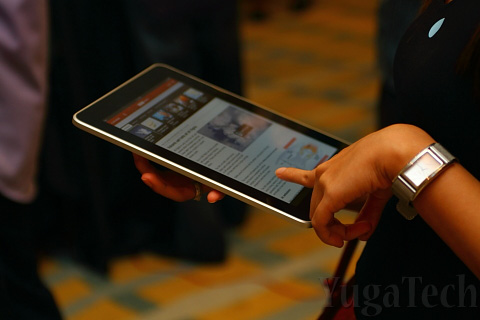
As for battery life, the iPad scored high marks for making it close to the promised 10 hours on a single charge. I didn’t have the luxury of sitting down for 10 straight hours to monitor the battery but I am able to clock in about 9+ hours in aggregate use in the course of a day (I’d already consider it an all-day computing device). On casual use, the iPad lasts about 2 and a half days before it completely discharges. The sleep mode really helps in conserving battery.
The Apps
The iPad-specific apps are just amazing as they maximize the screen real estate. Again, size does matter. One may not see the stark difference if you’re coming from a netbook perspective for those coming from the iPod Touch or iPhone (or any smartphone for that matter) point-of-view, it’s a huge improvement.

As I write this review, iPad-specific apps are still very few and number only in the hundreds. However, Apple says all of the 185,000 iPhone apps on the App Store can also be installed and used on the iPad (there could be a few that’s not completely compatible though).


More iPad apps are being developed but for the meantime, the iPhone apps can still fill the entire screen using a zoom-in function (the 2x zoom does make the graphics more pixelated).
My biggest beef so far is that iPad apps are way more expensive than the regular iPhone apps. Don’t really understand the logic behind that.
Conclusion
There’s been a huge debate on whether the iPad can replace the netbook. I’d blame Steve Jobs for openly challenging the netbook market and touting the iPad as the better alternative to mobile computing.
But, can the iPad really replace the netbook? My quick answer is a big, loud No; and a faint yes.
No. The iPad cannot do everything a netbook can. Forget about video chat, photo/video editing, or even playing FarmVille. Moreso if you’re heavily oriented on a Windows machine and dependent on specific tools and applications. Some apps may offer functions of productivity tools but are quite limited.
Yes. If your netbook usage pattern is strictly consumptive (i.e. surfing, chatting, email, social networking) then the iPad can easily replace the netbook for those tasks. In some instances, the iPad might even offer a better user experience over the latter (like reading for hours on end).
The iPad is an internet appliance, closer to a toy than a personal computer — it’s got limited features but does what it intended to do very nicely. Some people will hate it, others will love it. And that’s just how the iPad rolls.
Note: I re-wrote 80% of this review on my trusty netbook after finishing the first draft on the iPad. Got into trouble with “cut & paste” and lost almost everything I wrote using the iPad.
And to those asking where/how I got the iPad, check out this store.


Anyway i got smartphones that are 3g and i dont use it because they are slow sm and robinsons mall are wifi zone already so are schools restaurant fastfoods , i dont brows or check my email on the street i got blackberry to do that. I got trauma on my iphone 3gs for charging me huge amount after using that 3g. Wifi is free.