

أستخدم أجهزة MacBook منذ بضع سنوات، بينما كنت أتنقل بين أجهزة PC وMac خلال العقدين الماضيين. وقبل جهاز MacBook Pro المخصص للمعالج M5، كنت أستخدم MacBook Air المخصص للمعالج M3 وMacBook Air المخصص للمعالج M1 خلال السنوات القليلة الماضية.
يتمتع Apple بتنوع واسع جدًا من أجهزة الكمبيوتر المحمولة للاختيار منها -- حيث يبدأ بـ MacBook Air مقاس 13 بوصة مع وجود نسخة مقاس 15 بوصة؛ ثم يأتي MacBook Pro بمقاسات 14 و16 بوصة، والأول هو ما نستخدمه حاليًا منذ حوالي شهر، وهو مزود بأحدث شريحة Apple M5.
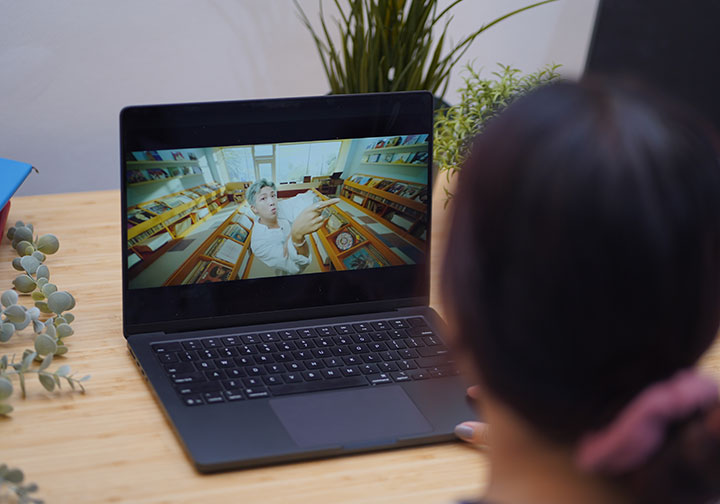
يُعدّ ماك بوك إير Apple الحاسوب المحمول الأساسي المخصص للمبتدئين، بينما تُعتبر أجهزة ماك بوك برو أكثر قوةً من حيث الأداء، مما يسهّل على المستهلكين اختيار الجهاز الأنسب بناءً على نمط حياتهم أو حالة الاستخدام.
في هذه المرة، ننظر إلى ماك بوك برو 14 بوصة M5. وحدة المراجعة لدينا هي الطراز الأساسي باللون الأسود الفضائي مع 16GB من ذاكرة الوصول العشوائي و 512GB من التخزين الداخلي.
التصميم والإنشاء
كان هناك في السابق الكثير من الفروقات بين طراز Air وطراز Pro، لكن هذه الفجوة بدأت تضيق ببطء منذ التحول إلى شريحة M1.
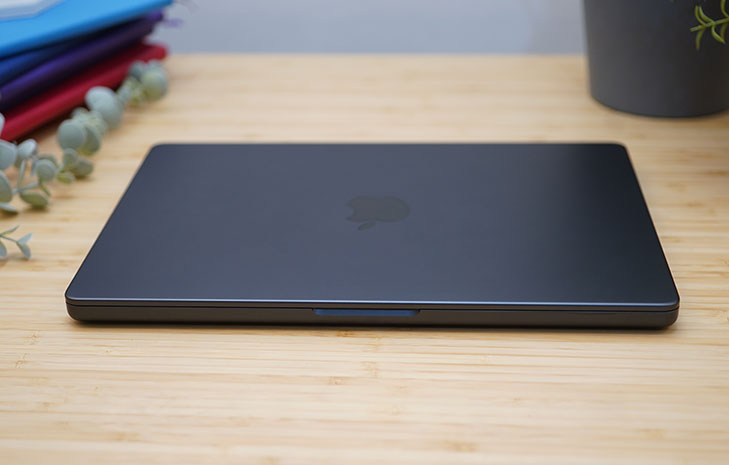
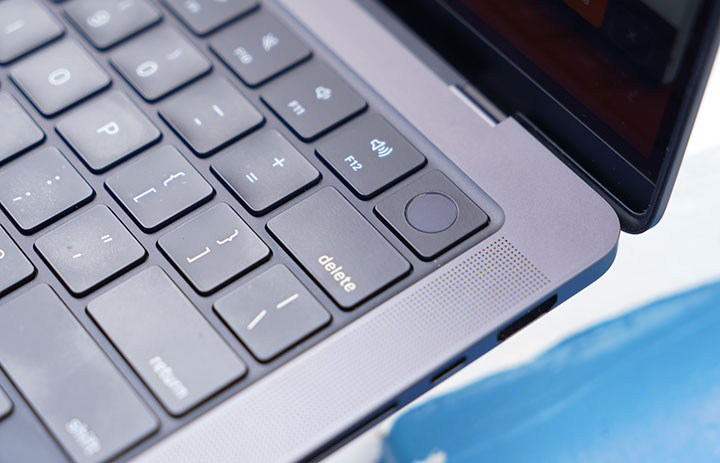
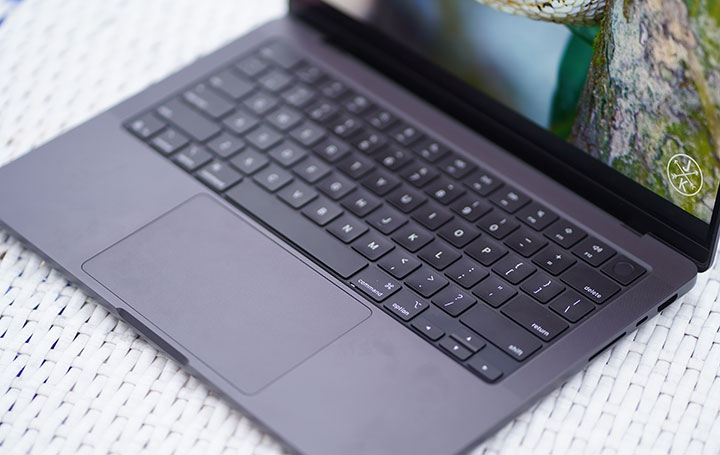
لا تزال تحصل على جسم من الألمنيوم المتين بلمسة نهائية غير لامعة، مع نفس التخطيط القديم الذي يتضمن لوحة المفاتيح السحرية (Magic Keyboard)، وزر الطاقة المزود بتقنية TouchID، ولوحة تتبع زجاجية كبيرة تدعم Force Touch، محاطة بشبكات مكبرات صوت مثقوبة بدقة لنظام الصوت المكون من ستة مكبرات.
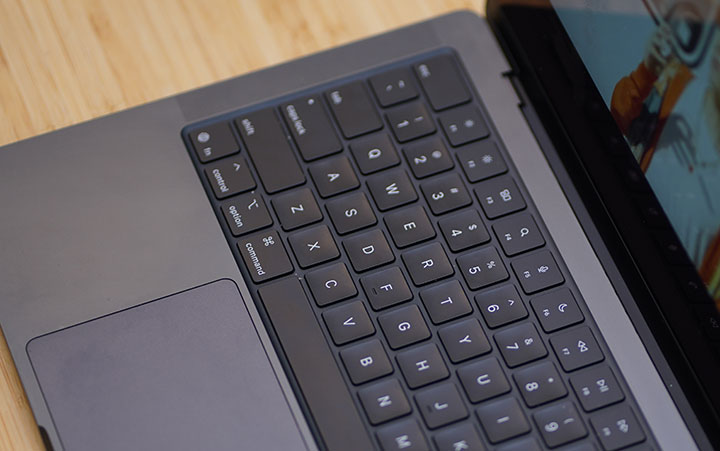
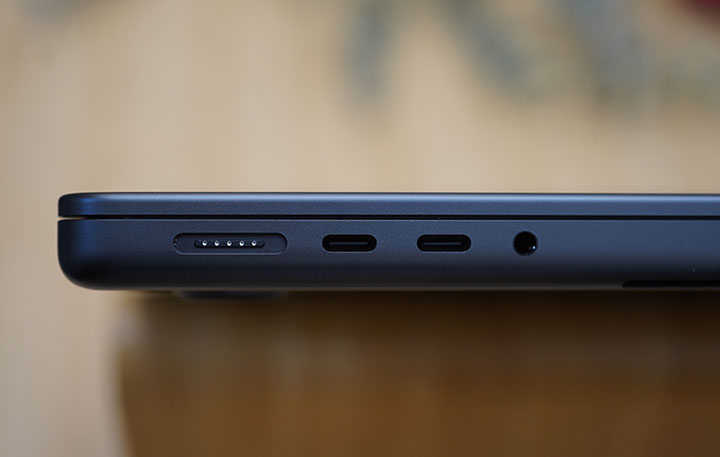
كما ذُكر سابقًا، فإن أحد أهم العوامل التي تدفع الناس لاختيار الطراز Pro على Air هو عدد المنافذ المتاحة. بالإضافة إلى منفذ MagSafe المخصص للشحن، تحصل على 2 منفذ من نوع USB Type-C على الجانب الأيسر مع منفذ 3.5mm للصوت. أما على الجانب الأيمن، فيوجد منفذ إضافي من نوع USB Type-C، ومنفذ HDMI بحجم كامل، وقارئ بطاقات SD.
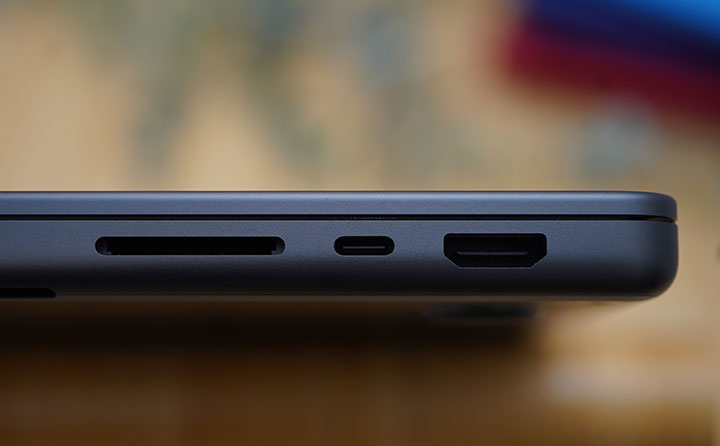
أثارت هذه المجموعة من المنافذ عزمي على التخلي فعليًا عن المحولات المعتادة التي كنت أحملها مع ماك بوك إير القديم. ينطبق الأمر نفسه على قارئ بطاقات microSD وSD المخصص. هذان الملحقان لم أعد مضطرًا إلى حملهما أثناء الرحلات. ما تغير هو أنني ما زلت أحمل كابل Type-C إلى HDMI، الذي استُبدل بكابل HDMI عادي إلى HDMI. لا شيء كبير حقًا.
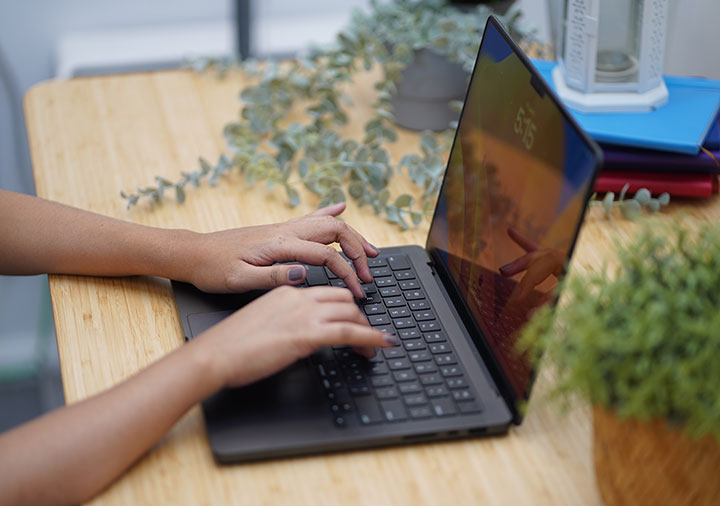
بعد استخدام MacBook Air M3 لمدة 20 شهرًا قبل الانتقال إلى Pro M5، أعجبتني حقًا خفة وزنها ورقتها. كان هذا هو الجاذبية الأكبر للهاتف Air بالنسبة لي — فلم تكاد تشعر بأنه يشغل مساحة أو يضيف وزنًا (11.3mm و2.7 رطل) في حقيبتي. أما مع Pro M5 بحجم 14 بوصة، الذي يبلغ سمكه 15.5mm ويوزن 3.41 رطل، فقد أصبح عنصرًا ملحوظًا في الحقيبة.
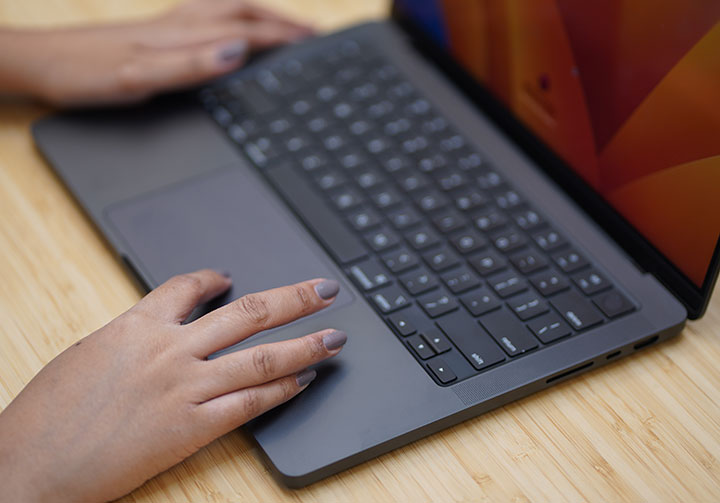
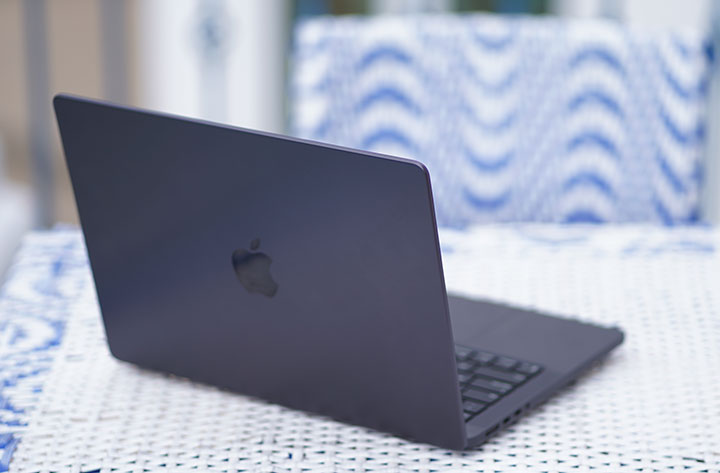
تشمل بعض اللمسات التصميمية الدقيقة النقوش الصغيرة المطلية باللون الأسود المثقوبة في هيكل الألمنيوم. فبعضها لا يخترق فعليًا حتى المكونات الداخلية، بينما تُستخدم أجزاء أخرى من هذه النقوش لمصفوفة السماعة والميكروفون بالإضافة إلى فتحات التهوية.
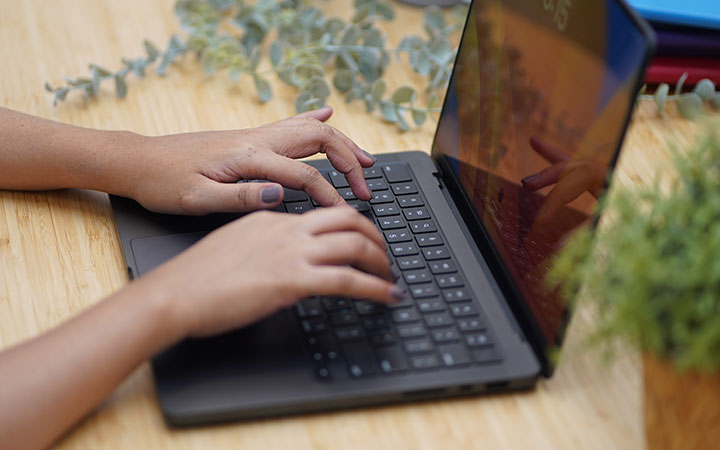
وأخيرًا، يجب أن أشير إلى لوحة المفاتيح في MacBook Pro كأحد أكثرها راحةً وسهولةً في الاستخدام. فالتخطيط بسيط وواضح، وأزرار الشيكليت المسطحة ذات الحجم المناسب، وتتميز برحلة ناعمة وهادئة اعتدتُ عليها على مر السنين.
لوحة التتبع الكبيرة سلسة وقابلة للاستجابة لأوامر اللمس بنفس القدر. كان نظام TouchID خطوة كبيرة عندما قدمته Apple لأول مرة منذ ما يقرب من عقد من الزمان على MacBook Pro.
الشاشة والوسائط المتعددة
إحدى الأسباب التي دفعتني إلى الانتقال إلى ماك بوك قبل سنوات عديدة هي الشاشة. فهي توفر دقة ألوان جيدة عند تحرير مقاطع الفيديو الخاصة بنا وإجراء بعض عمليات ضبط الألوان الأساسية. كنا نصور آنذاك باستخدام وضع S-Log2 على كاميرا سوني A7s، وكنت أقوم بالتحرير في Final Cut Pro وAdobe Premiere.
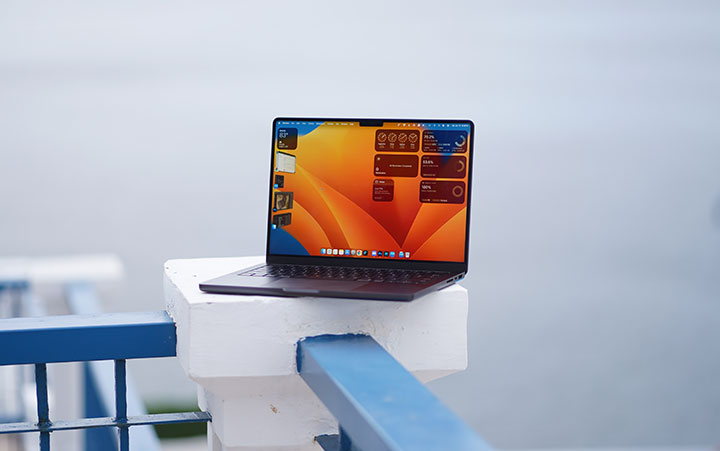
في حالة MacBook Pro M5، فإن لوحات Liquid Retina XDR (التي تحتوي على تقنية mini‑LED) مُعايرة في المصنع من حيث اللون والسطوع ونقطة الغاما ونقطة الأبيض، مما يمنح دقة عالية جدًا للألوان عند الاستخدام المباشر لعمليات عمل P3/Rec.709.
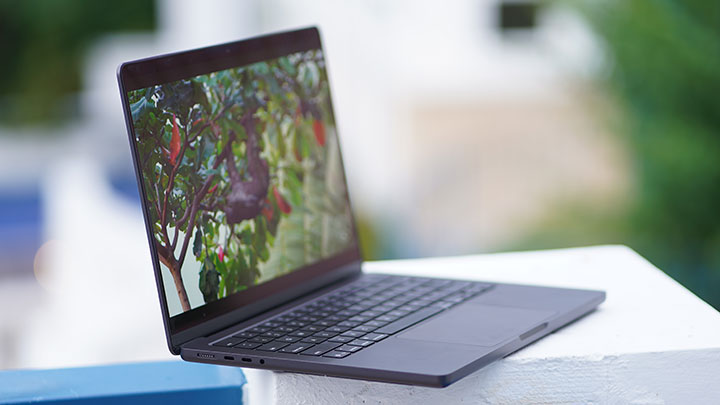
قادمة من MacBook Air بحجم 13.6 بوصة، فإن شاشة MacBook Pro بحجم 14.2 بوصة ليست أكبر بكثير. ومع ذلك، ألاحظ فرقًا ملحوظًا في دقة الشاشة (3024 × 1964 بكسل) والإضاءة العامة (1000 نيت، مع ذروة تصل إلى 1600 نيت). أيضًا، إذا كنت من محبي الألعاب على جهاز Mac، فستقدر ميزة ProMotion بمعدل التحديث التكيفي الذي يصل إلى 120Hz.
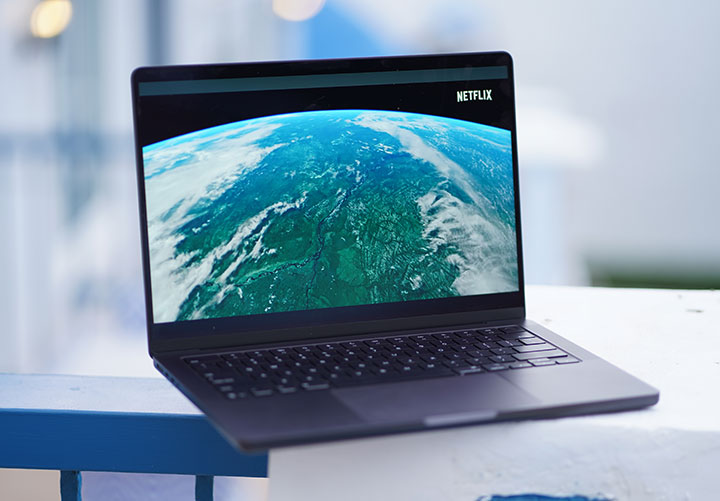
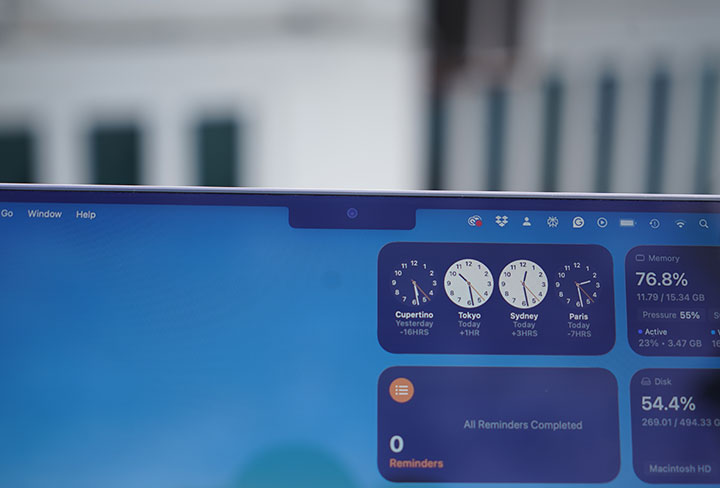
الإطارات ضيقة والشاشة تنحني على الزوايا العلوية متّبعة انحناء الغطاء. تفصيلة صغيرة لكنها شيء أقدره.
جزيرة الكاميرا (النتش) التي تستوعب كاميرا الويب والمستشعرات الأخرى بارزة جدًا، لكنها لم تسبّب أي إزعاج فعليًا.
أما بالنسبة للصوت، فقد ضم Apple نظام صوتي عالي الدقة مكون من ستة مكبرات صوت مع وووفرين يلغيان الاهتزازات إلى MacBook Pro. لا ترى جميعها فعليًا لكنها موجودة، مدمجة بذكاء في الهيكل. إذا ألقيت نظرة على الحافة العلوية فوق لوحة المفاتيح (قرب مفصل الشاشة)، فستجد ثلاثة منها مخفية هناك.
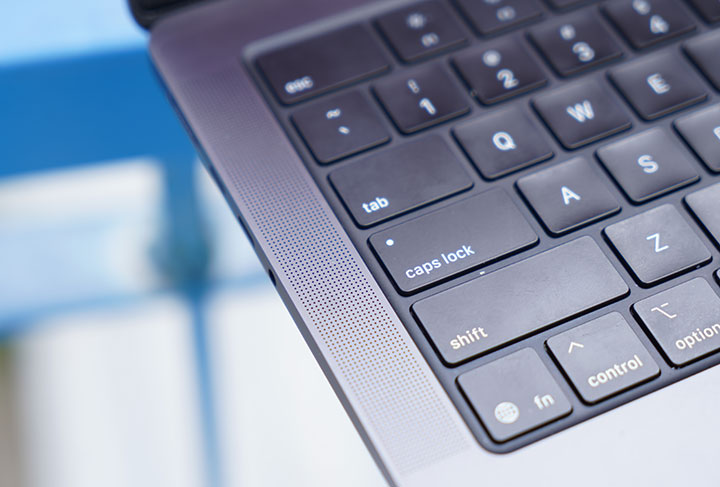
يقوم بتوجيه الصوت من الشاشة نحو المستمع. يبدو أن باقي الصوت صادر عن هيكل الجهاز (عبر الشبكات المثقبة على الجانبين) للحاسوب المحمول، كما أنه يمتلك مستوى معينًا من النغمات المنخفضة.
نظام التشغيل، التطبيقات وواجهة المستخدم
If you've been using macOS for a long time now, you'd agree with me when I say it's just a solid and feature-rich operating system. It's fast, smooth and such an eye-candy that everything looks fluid and flawless. You can appreciate the attention to detail, the intuitiveness of the native apps and the focus on making things simply work.
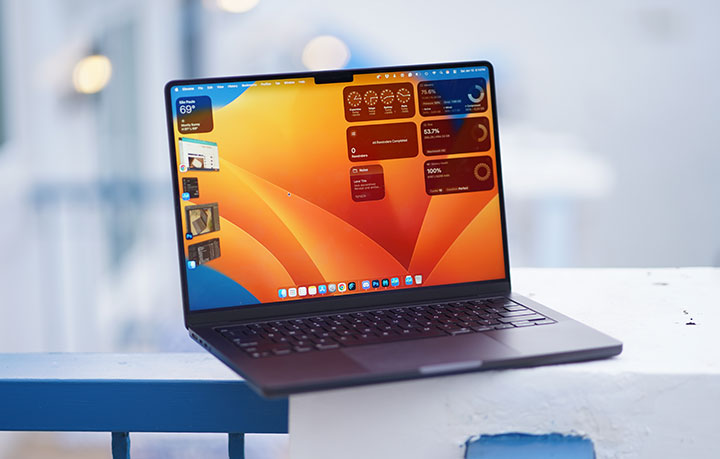
For those long-time PC users (Microsoft Windows), macOS might be a bit confusing at first. You'll have to under things, even as simple as keyboard shortcuts, trackpad clicks or gesture controls that are either different or absent in the other pond. It takes a while, actually, to transition but once you get the hang of it you'll understand the whole concept and learn that you can do more and manage multiple workspace with ease, thanks to Stage Manager.
Folks who frequently use both environments will see the minutest difference, with some features functioning better than others. A few things I'd like to specially mention would be Spotlight search, Stage Manager, Time Machine, and Quick Look. If you're in the Apple ecosystem (MacBook, iPhone, iPad), you will also love Handoff, Universal Clipboard, iPhone Mirroring and even as simple as synching Notes across Apple devices.
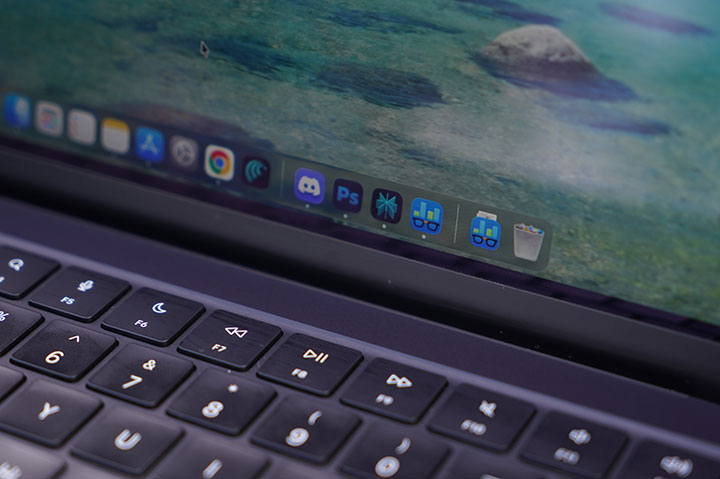
There are a number of pre-installed apps that I found very useful. There's iMovie which is a pretty decent video editor, GarageBand for music editing, and Preview for viewing PDF files (and attaching digital signatures too!). I used to subscribe to Office 365 with an annual fee of Php4,899 but when I migrated, I realized my account no longer works as it is expired. Instead of re-subscribing, I tried Pages and it seems to fit just fine for my needs.
Do I miss something from the Windows environment? Not really. Perhaps in some rare instances that I have to install a device or software that's only available or compatible on Windows but that comes with the territory since we're reviewing and tinkering with a lot of gadgets in our work.
Performance and Benchmarks
The Apple M5 in the 14‑inch MacBook Pro is a clear iteration on Apple Silicon. It comes with modest CPU gains over M4, big jumps in graphics, and a solid single‑core performance that now rivals or beats high‑end desktop silicon.
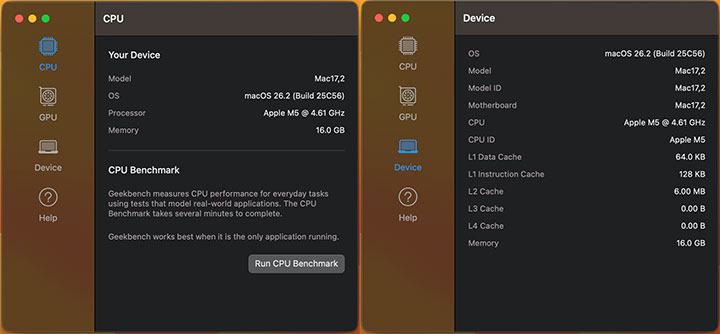
The base M5 in the 14‑inch MacBook Pro ships with a 10‑core CPU that's composed of 4 performance cores clocking up to 4.61GHz and 6 efficiency cores (built on TSMC’s third‑gen 3nm process). This is paired with a 10-core GPU.
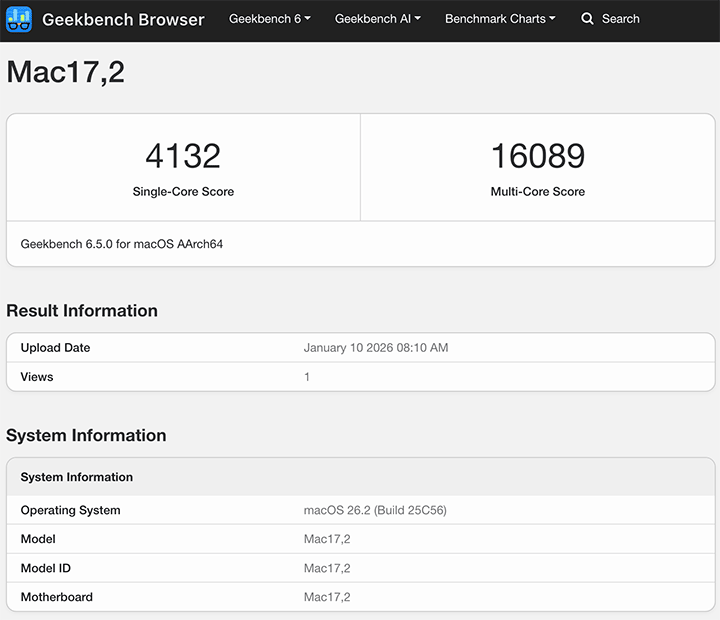
In Geekbench 6, early runs show a score of 4,132 for single core and 16,089 for multi‑core, putting it at the top of the Geekbench charts for any Mac or PC processor in single‑threaded workloads.
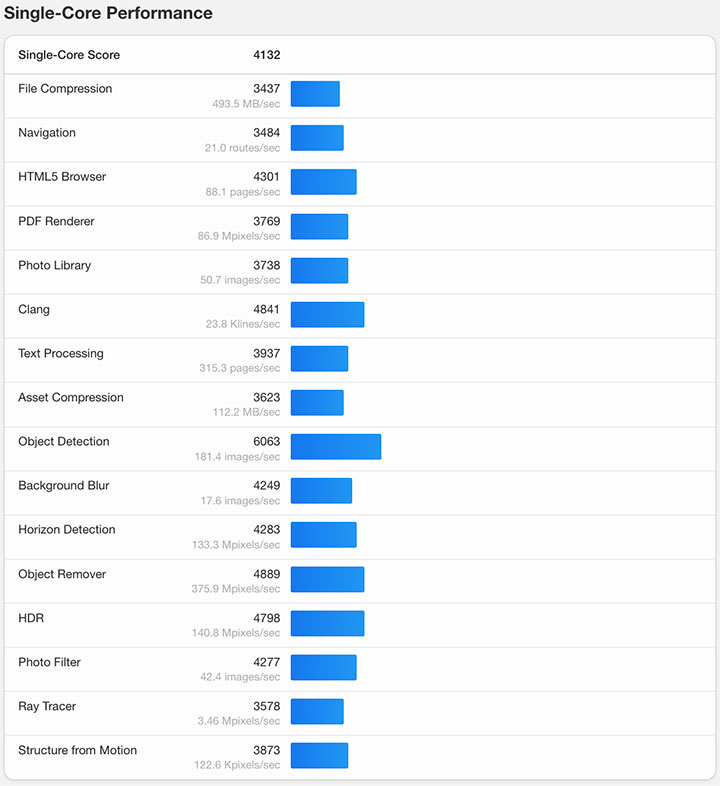
Here's the breakdown of GeekBench 6.5 results:
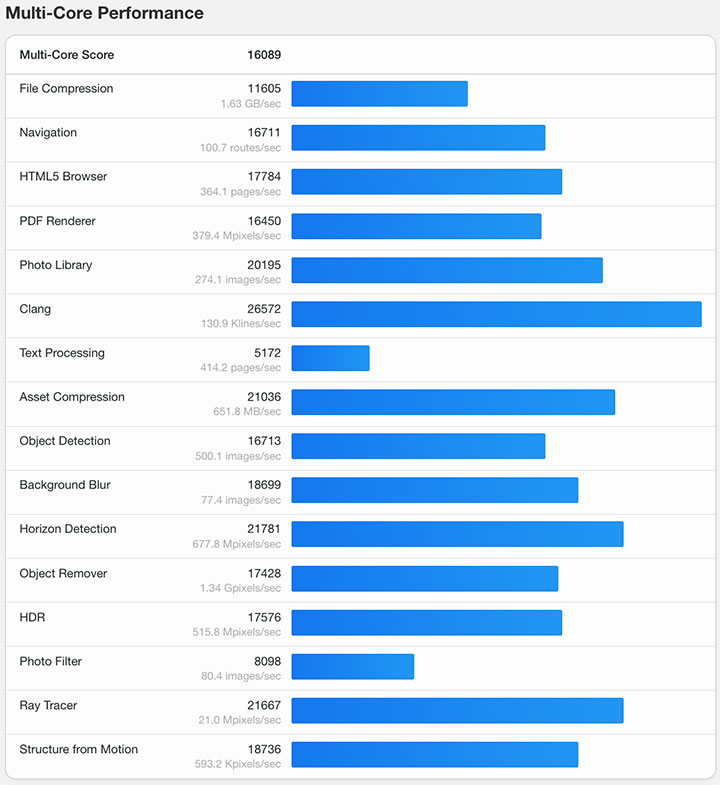
For GPU scores, we got 41,589 points in OpenCL and 74,775 points in Metal using GeekBench 6.5. For comparison, we also ran GeekBench on our other Mac (Mac Mini M1 and MacBook Air M3) and here's what we got:
Mac Mini M1
GeekBench 6.5 Single-Core score - 2,325
GeekBench 6.5 Multi-Core score - 8,061
GPU OpenCL - 18,837
GPU Metal - 32,859
MacBook Air M3
GeekBench 6.5 Single-Core score - 2,944
GeekBench 6.5 Multi-Core score - 11,208
GPU OpenCL - 30,924
GPU Metal - 48,199
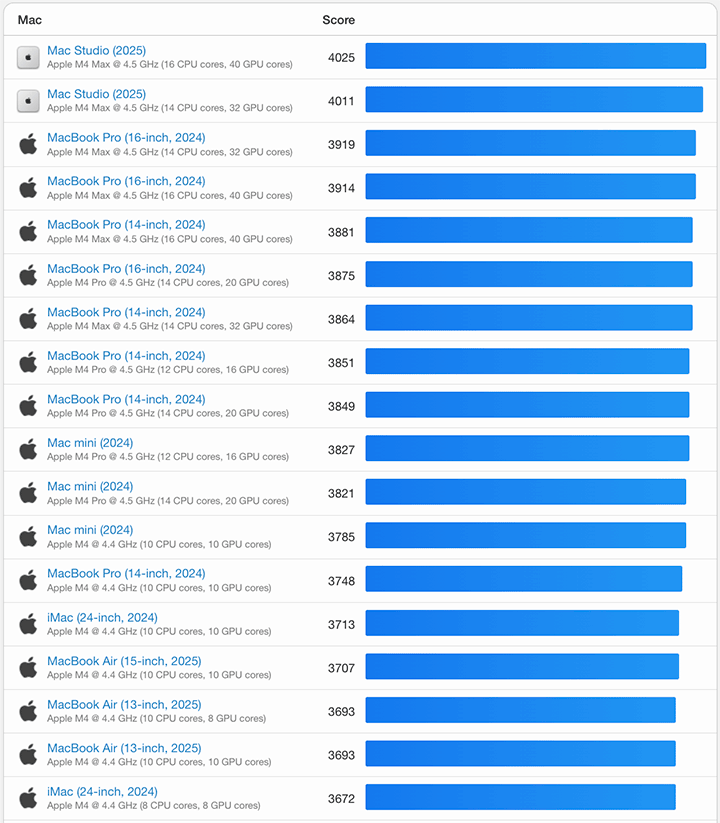
Compared to other previous Apple silicon, the M5 is certainly a powerhouse. You will see in the chart below that it ranks at the top among previous silicon chips in single core performance:
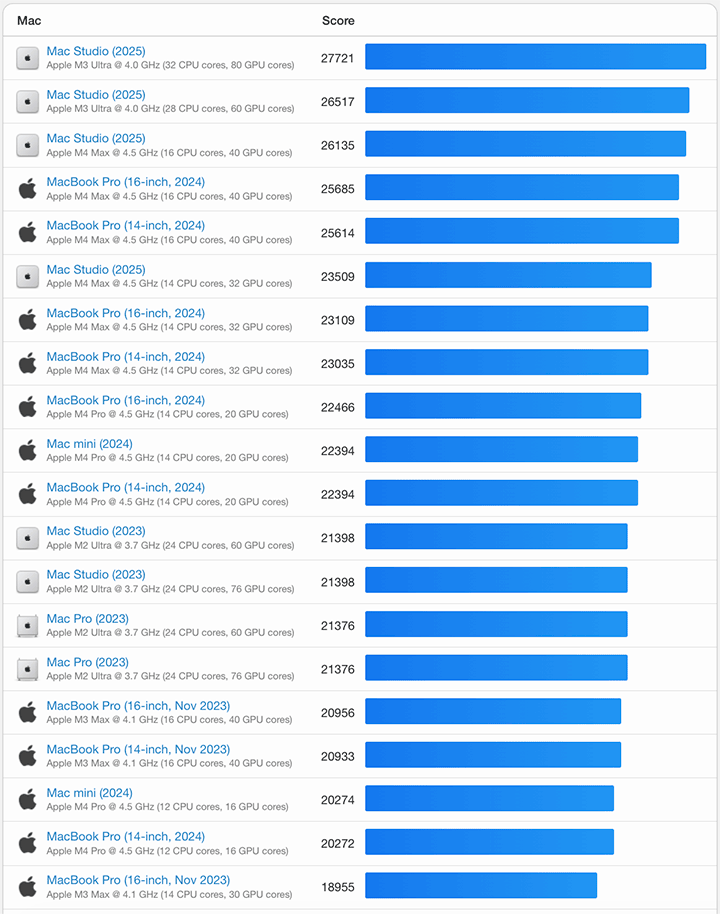
Same goes with multi-core performance, according to GeekBench 6.5:
I'm not really a big gamer on a laptop and the last serious game I played was Diablo IV on my desktop PC about a year ago. However, the MacBook Pro M5 is no slouch with gaming either as I've seen and tried playing AAA games such as Cyberpunk 2077 for a bit.
On a practical note, I prefer using the Mac environment when working with video production, especially when editing 4K videos. It has been our experience that rendering hi-res videos on Final Cut Pro on a Mac beats running the same on Adobe Premiere on a PC (or Premiere on the same Mac for that matter). That's one of the biggest reasons I switched to a Mac many years ago.
Connectivity and Battery Life
One of the biggest draw of the MacBook Pro is the use of Thunderbolt 4 USB-C ports — all three of them supports fast charging, DisplayPort and up to 40Gb/s Thunderbolt 4 and USB 4 transfer speeds. This is great if you’re handling large files, like in video production. One benefit of which is the use of an external USB 4 SSD drive and still get the same speeds as the internal storage.
Likewise, you should be able to connect the MacBook Pro to two 6K (@ 60Hz), one 8K @ 60Hz or one 6k (120Hz, Thunderbolt) and one 4k (120Hz, HDMI) external displays via a single Thunderbolt port. That’s where the HDMI port comes in, if you want to get 120Hz refresh rates on external displays. The base M5 chip can do two external display with the internal display turned on.
For wireless connectivity, you get WiFi 6E and Bluetooth 5.3 as the basics. And, if you've read our review of the iPhone 17 ProMax, AirDrop is a core feature in the Apple ecosystem.
The model that I have been using comes with a 72.4Whr LiPo battery that promises up to 24 hours video streaming or up to 16 hours wireless web browsing. Based on our own experience, this is pretty accurate and the MacBook Pro M5 delivers long battery life.
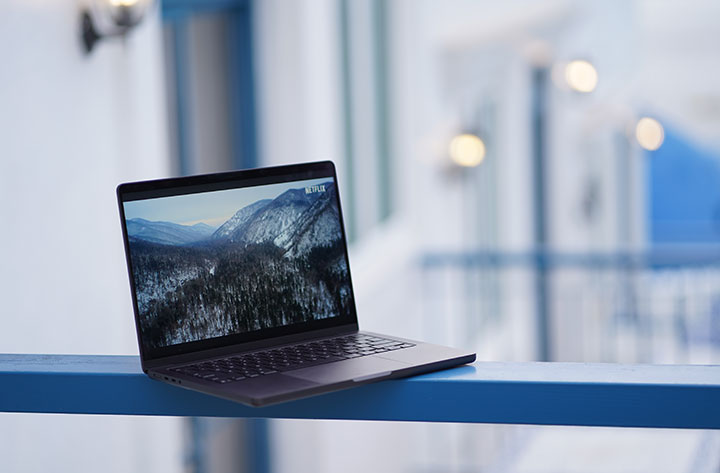
In one of our tests, we played a full HD 1080p movie at 50% brightness, 50% volume in full screen and with WiFi turned on. The MacBook Pro could last between 22 hours to 24 hours & 26 minutes (making room for margin of error in the extrapolation). Legit!
When charging, you can use the dedicated MagSafe 3 port or use any of the USB-C port to charge the laptop. It comes with a 70W USB-C Power Adapter but the device can support up to 140W of charging using a compatible charger.
Apple claims the included 70W charger can juice it up from 0 to 50% in about 30 minutes and that's what we're seeing as well (a little bit over 30 minutes at times). This is using the MagSafe 3 charger and going to a full 100% take a bit over an hour. Third party chargers using USB-C ports will work but could take a bit longer.
Conclusion
As a long-time MacBook user, the new 14-inch MacBook Pro M5 is a no-brainer. It combines reasonable portability with great performance and a little bit of flair without overdoing it. You get everything you need in a workhorse laptop along with a solid operating system.
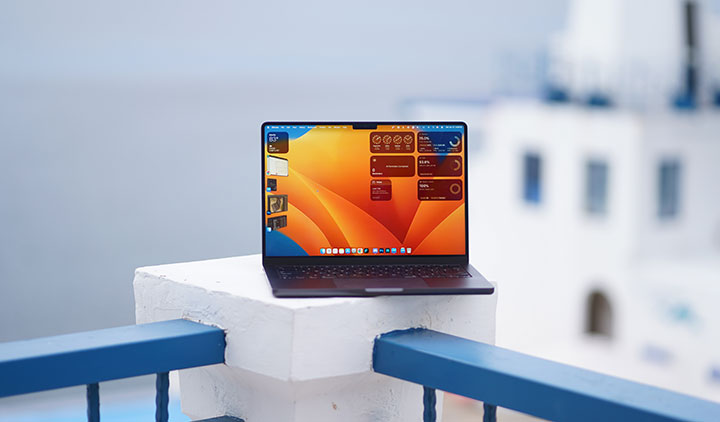
If you are after performance and the full laptop experience, the MacBook Pro is the way to go. You get the complete set of ports and slots, longer battery life, and top-notch performance. This is great if you are heavily working with productivity tools like Adobe CC or DaVinci Resolve in our case (mostly for video production).
With a starting price of Php 99,990 for the 16GB + 512GB variant, the MacBook Pro M5 might seem heavy on the pocket. It goes up to Php 203,990 for the 32GB + 4TB variant and an additional Php 10,000 to upgrade to nano-texture display.
However, if you consider the performance that the M5 brings and the additional hardware features that come with it, the MacBook Pro M5 is a reasonable investment for any serious user. Otherwise, if you are just starting out in the macOS ecosystem, and with very light usage needs, the MacBook Air is a good starting point.
Complete Variant Pricing:
₱99,990 - 16GB + 512GB
₱112,990 - 16GB + 1TB
₱125,990 - 24GB + 1TB
₱138,990 - 16GB + 2TB
₱151,990 - 24GB + 2TB
₱164,990 - 32GB + 2TB
₱177,990 - 16GB + 4TB
₱190,990 - 24GB + 4TB
₱203,990 - 32GB + 4TB
What we liked about it:
* Impressive performance
* Great display quality
* Long battery life
* Lots of config options
* Solid operating system
What we liked less:
* Steep entry price
* Slightly on the hefty side
Apple 14-inch Macbook Pro M5 specs:
14.2-inch Liquid Retina XDR display @ 3024x1964 pixels, 254 ppi
Apple M5 chip
10-core CPU (4 performance cores + 6 efficiency cores)
10-core GPU with Neural Accelerators in each core
16-core Neural Engine
16GB, 24GB LPDDR5x RAM (up to 32GB)
512GB, 1TB internal storage (up to 2TB, 4TB)
12MP Center Stage camera
WiFi 6E (802.11ax)
Bluetooth 5.3
macOS 26.2 Tahoe
72.4Whr LiPo battery
70W USB-C Power Adapter
USB-C to MagSafe 3 Cable (2 m)
Space Black, Silver
1.55 kg / 3.4 lbs (weight)
1.55 x 31.26 x 22.12cm (dimensions)



0 Comments
Leave a Reply