

Been using MacBooks for the past few years while switching between PC and Mac in the last 2 decades. Prior to the MacBook Pro M5, I had the MacBook Air M3 and the MacBook Air M1 these past few years.
Apple has a very wide variety of laptops to choose from — it starts with the 13-inch MacBook Air with a 15-inch variant; and then the 14-inch and 16-inch MacBook Pro, the former is what we currently been using for about a month now and it comes with the latest Apple M5 chip.
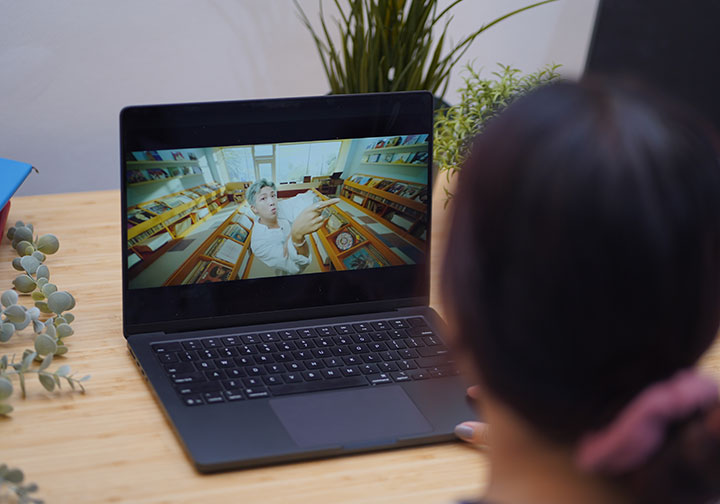
The MacBook Air is Apple’s basic entry-level laptop while the MacBook Pro are more performance-level machines so it is easy for consumers to pick which one to use based on their lifestyle or case-use.
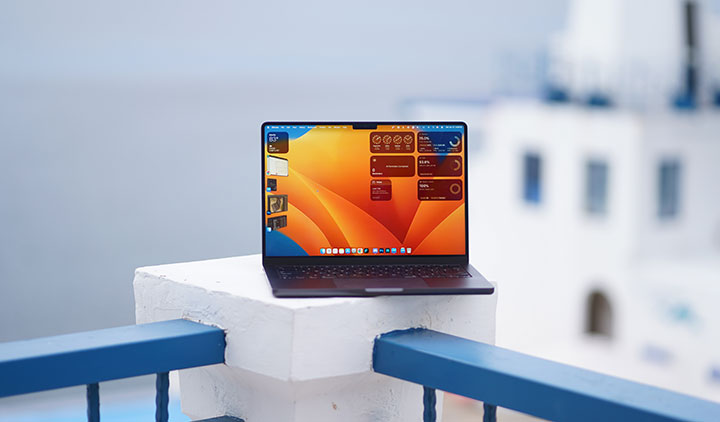
This time, we’re looking at the 14-inch MacBook Pro M5. Our review unit is the base model Space Black with 16GB of RAM and 512GB of internal storage.
Design and Construction
There used to be a lot of differences between the Air and the Pro but that gap has been slowly closing since the transition to the M1 chip.
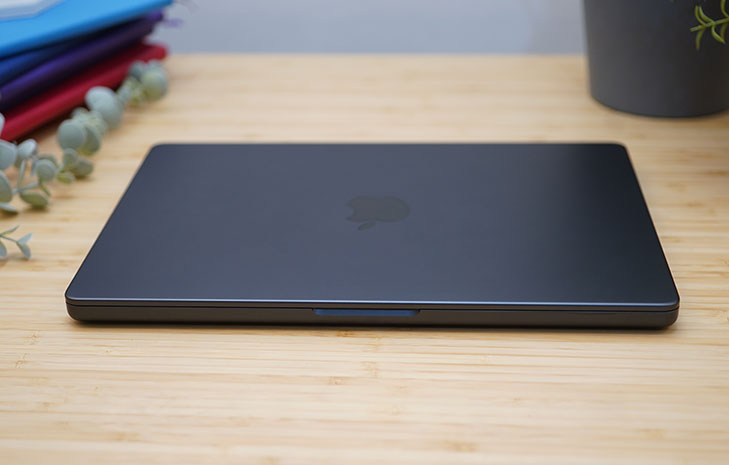
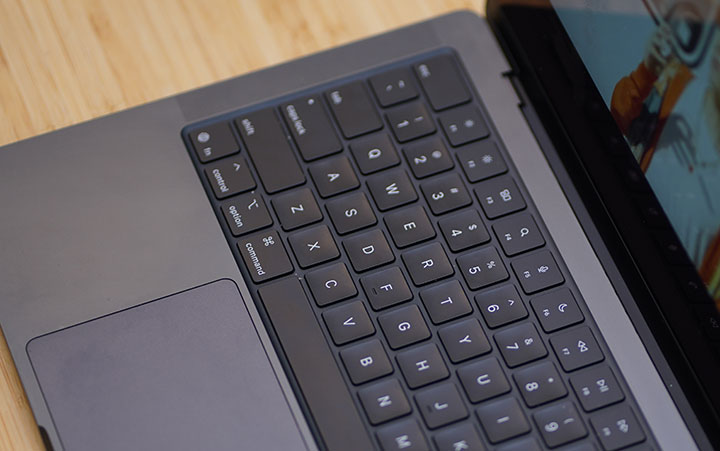
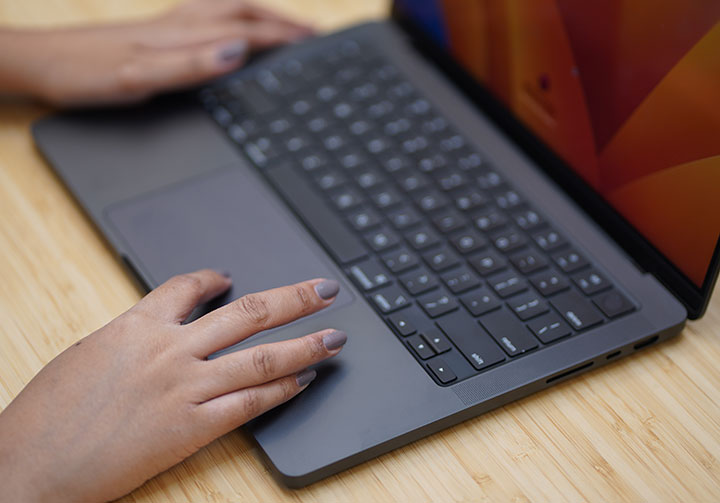
You still get a solid aluminum body with matte finish, same old layout with the Magic Keyboard, TouchID power button, and a large glass Force Touch trackpad, flanked by finely perforated speaker grills for the six‑speaker audio system.
Now, the main difference between the two models are the display sizes and the thickness of the chassis; and along with it, the additional ports that come with the Pro models.
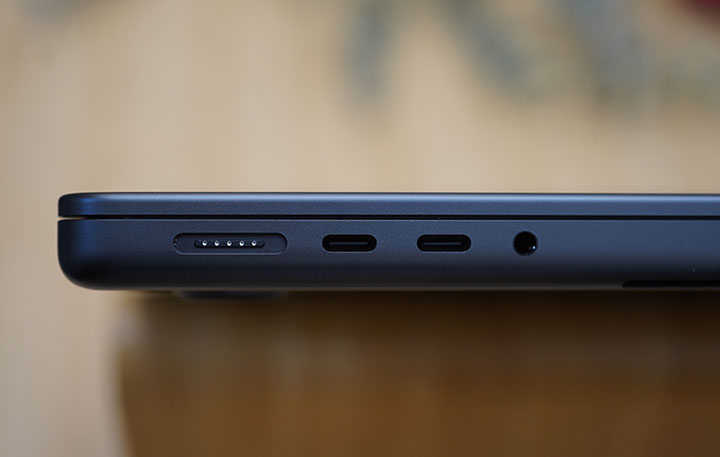
As mentioned earlier, one of the most significant factors people would choose the Pro over the Air is the number of available ports. Aside from the dedicated MagSafe for charging, you get 2 USB Type-C ports on the left side along with the 3.5mm audio port. On the right, there’s an additional USB Type-C port, a full-sized HDMI port and SD card reader.
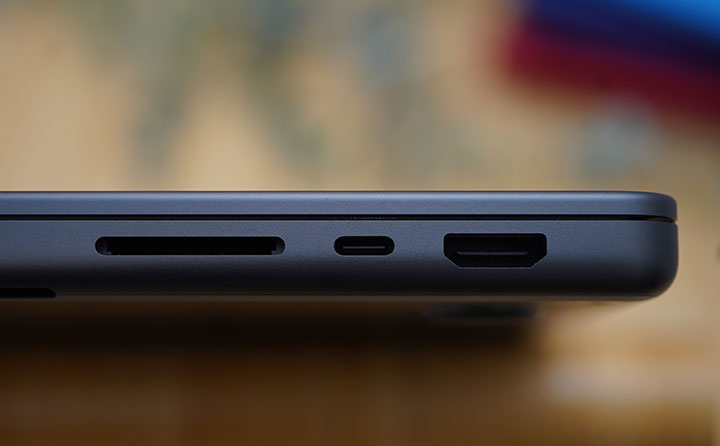
These set of ports has prompted me to actually ditch the usual dongles that I carry with me along with my old MacBook Air. Same goes to the dedicated microSD and SD card reader. That’s two accessories I don’t have to worry to bring during the trips. What changed but I continue to bring is the Type-C to HDMI cable that’s been replaced by the regular HDMI-to-HDMI cable. Nothing biggie, really.
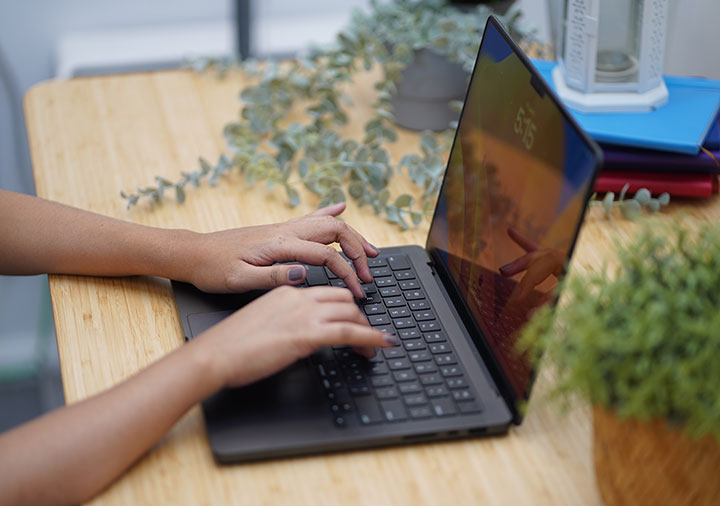
Having used the MacBook Air M3 for the past 20 months prior to migrating to the Pro M5, I really liked how thin and light that thing is. That has been the biggest charm of the Air for me — you almost couldn’t feel it take space or weight (11.3mm and 2.7lbs) in my backpack. With the 14-inch Pro M5, which is 15.5mm thick and weighs 3.41lbs, I has become a significant item in the bag.
One would think that there shouldn’t be any big difference between a 13.6-inch MacBook Air and 14.2-inch MacBook Pro but once you carry it around with you, it will become evident.
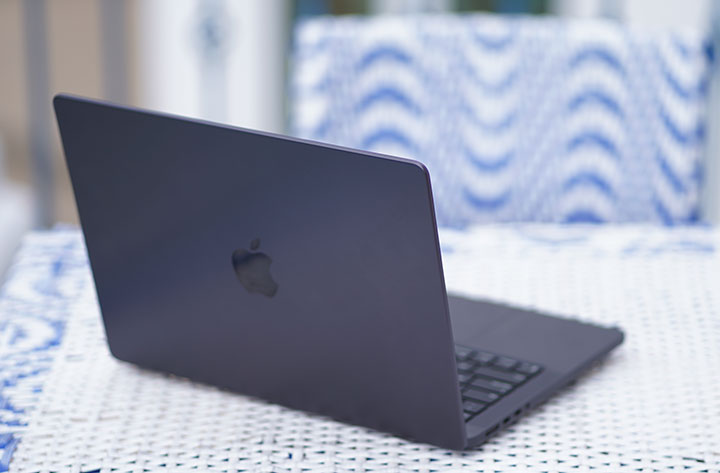
Some subtle design touches include the small, black-painted dimples punched into the aluminum chassis. Some of it do not actually go all the way through to the internal components while other parts of it are used for the speaker & microphone array as well and air vents.

And lastly, I have to point out the keyboard on the MacBook Pro as one of the most comfortable and easiest to use. The layout is simple and straightforward, the flat chiclet keys have the right size has that soft and quite travel that I’ve gotten used to through the years.
The large trackpad is equally smooth and responsive to gesture commands. The TouchID was a huge thing when Apple first introduced it almost a decade ago on the MacBook Pro.
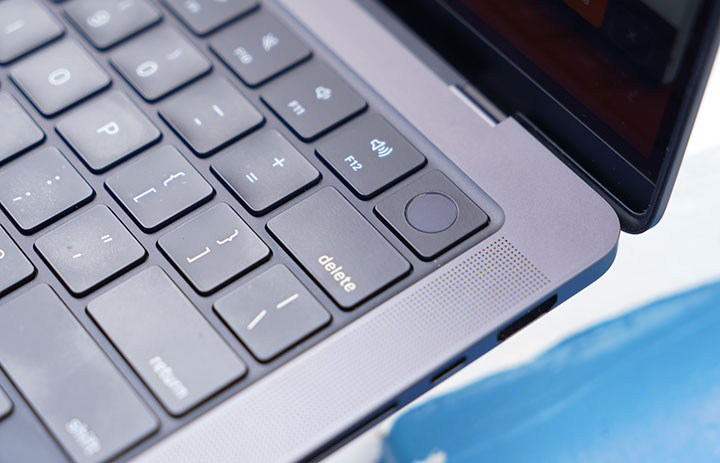
These are just simple and basic hardware features that, when done close to perfection, can really define what it means to use a MacBook.
Display and Multimedia
One of the reasons I moved to a MacBook many years ago is because of the display. It’s got good color accuracy when editing our videos and doing some basic color grading. We were shooting in S-Log2 on the Sony A7s back then and I was editing in Final Cut Pro and Adobe Premiere.
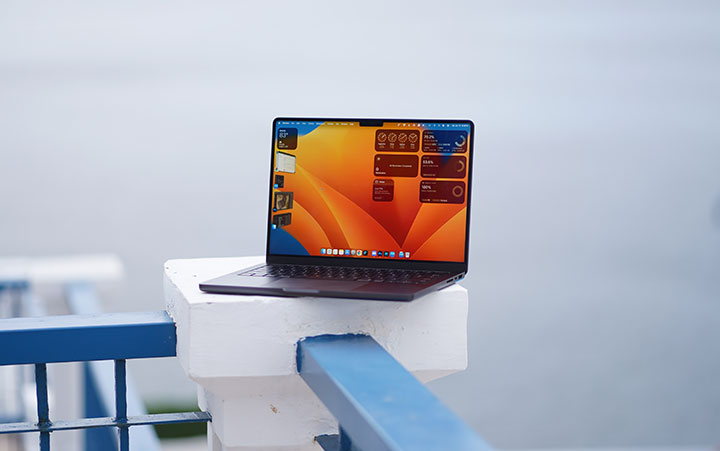
In the case of the MacBook Pro M5, its Liquid Retina XDR panels (with mini‑LED) are factory‑calibrated for color, brightness, gamma, and white point, giving very accurate color out of the box for P3/Rec.709 workflows.
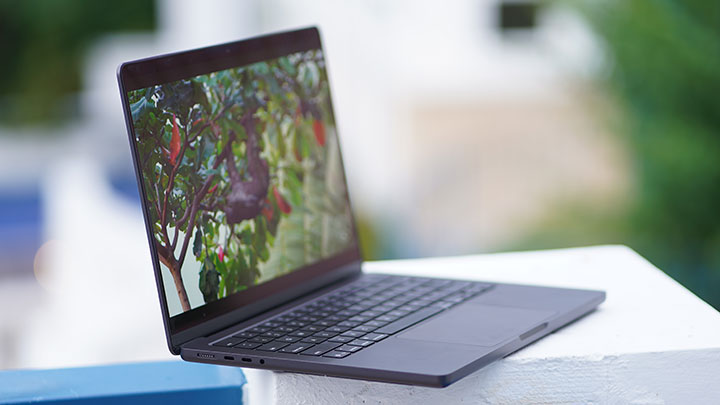
Coming from 13.6-inch MacBook Air, the 14.2-inch display of the MacBook Pro isn’t that any bigger. However, I can see significant difference in the screen resolution (3024 × 1964 pixels) and over-all brightness (1000 nits, 1600 nits peak). Also, if you are into gaming on a Mac, you will also appreciate the ProMotion adaptive refresh rate up to 120Hz.
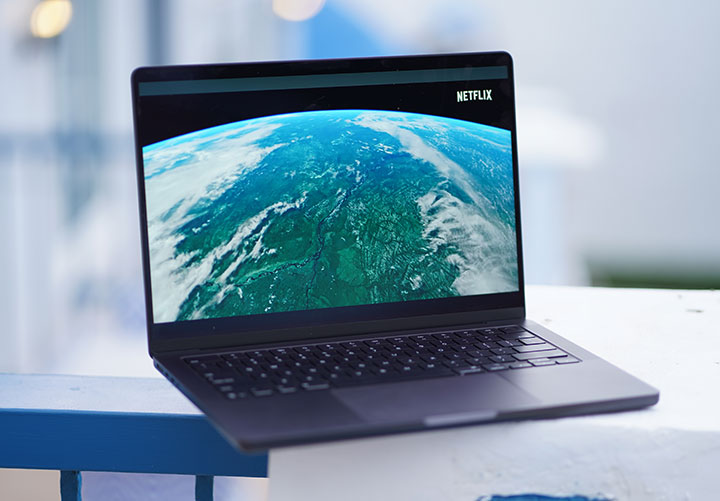
The bezels are narrow and the screen wraps along the top corners following the curvature of the lid. A small detail but something I appreciate.
The camera island (notch) which houses the webcam and other sensors is very prominent but has not really presented any inconvenience.
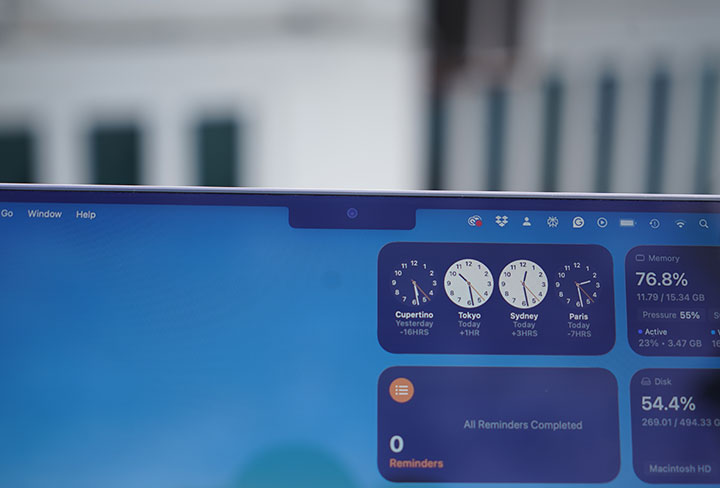
As for audio, Apple included a high-fidelity six-speaker sound system with force-cancelling woofers into the MacBook Pro. You don’t actually see all of them but they are there, cleverly integrated into the body. If you peek into the edge above the keyboard deck (near the display hinge), you will see three of them hidden in there.
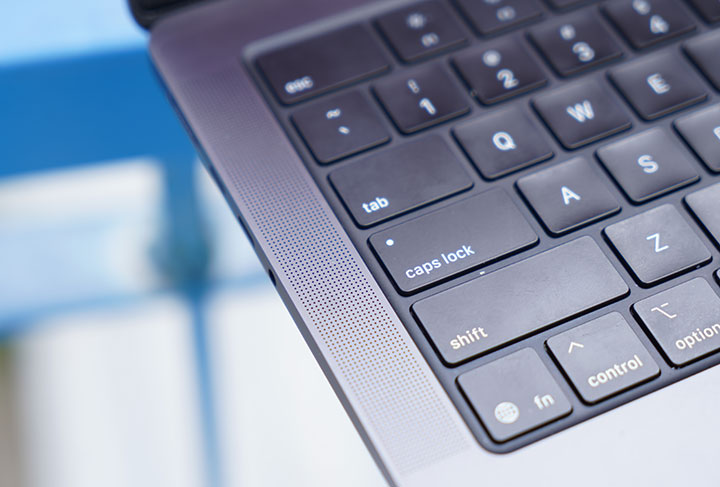
They bounce the sound off the display and towards the listener. The rest of the sound seems to come from the chassis (through the perforated grills on the side) of the laptop and it has some level of bass to it too.
OS, Apps and UI
If you’ve been using macOS for a long time now, you’d agree with me when I say it’s just a solid and feature-rich operating system. It’s fast, smooth and such an eye-candy that everything looks fluid and flawless. You can appreciate the attention to detail, the intuitiveness of the native apps and the focus on making things simply work.
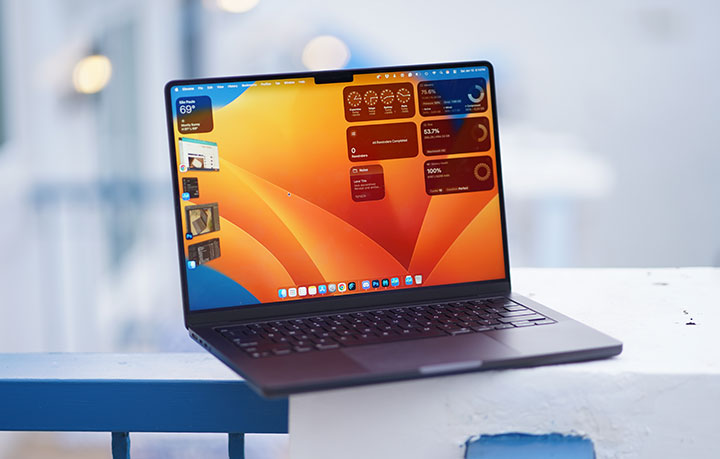
For those long-time PC users (Microsoft Windows), macOS might be a bit confusing at first. You’ll have to under things, even as simple as keyboard shortcuts, trackpad clicks or gesture controls that are either different or absent in the other pond. It takes a while, actually, to transition but once you get the hang of it you’ll understand the whole concept and learn that you can do more and manage multiple workspace with ease, thanks to Stage Manager.
Folks who frequently use both environments will see the minutest difference, with some features functioning better than others. A few things I’d like to specially mention would be Spotlight search, Stage Manager, Time Machine, and Quick Look. If you’re in the Apple ecosystem (MacBook, iPhone, iPad), you will also love Handoff, Universal Clipboard, iPhone Mirroring and even as simple as synching Notes across Apple devices.
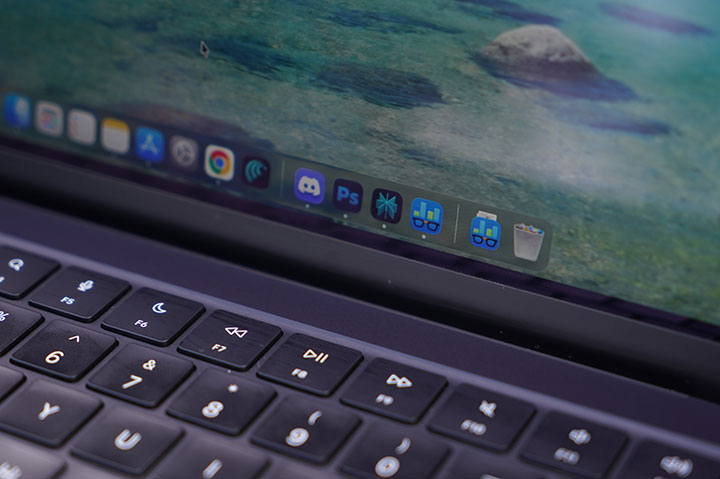
There are a number of pre-installed apps that I found very useful. There’s iMovie which is a pretty decent video editor, GarageBand for music editing, and Preview for viewing PDF files (and attaching digital signatures too!). I used to subscribe to Office 365 with an annual fee of Php4,899 but when I migrated, I realized my account no longer works as it is expired. Instead of re-subscribing, I tried Pages and it seems to fit just fine for my needs.
Do I miss something from the Windows environment? Not really. Perhaps in some rare instances that I have to install a device or software that’s only available or compatible on Windows but that comes with the territory since we’re reviewing and tinkering with a lot of gadgets in our work.
Performance and Benchmarks
The Apple M5 in the 14‑inch MacBook Pro is a clear iteration on Apple Silicon. It comes with modest CPU gains over M4, big jumps in graphics, and a solid single‑core performance that now rivals or beats high‑end desktop silicon.
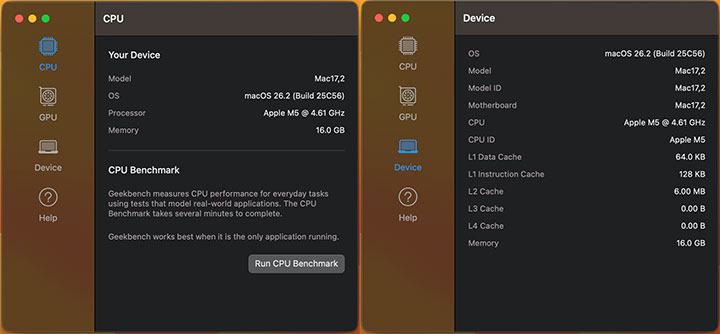
The base M5 in the 14‑inch MacBook Pro ships with a 10‑core CPU that’s composed of 4 performance cores clocking up to 4.61GHz and 6 efficiency cores (built on TSMC’s third‑gen 3nm process). This is paired with a 10-core GPU.
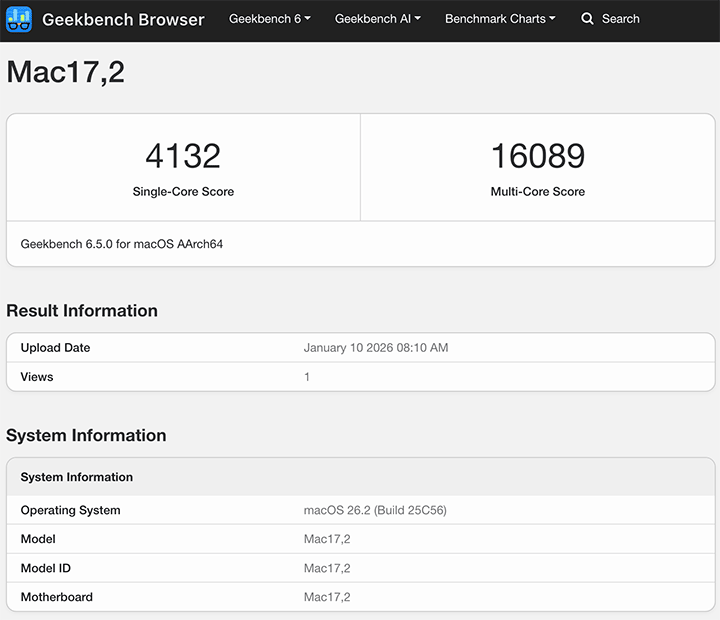
In Geekbench 6, early runs show a score of 4,132 for single core and 16,089 for multi‑core, putting it at the top of the Geekbench charts for any Mac or PC processor in single‑threaded workloads.
Here’s the breakdown of GeekBench 6.5 results:
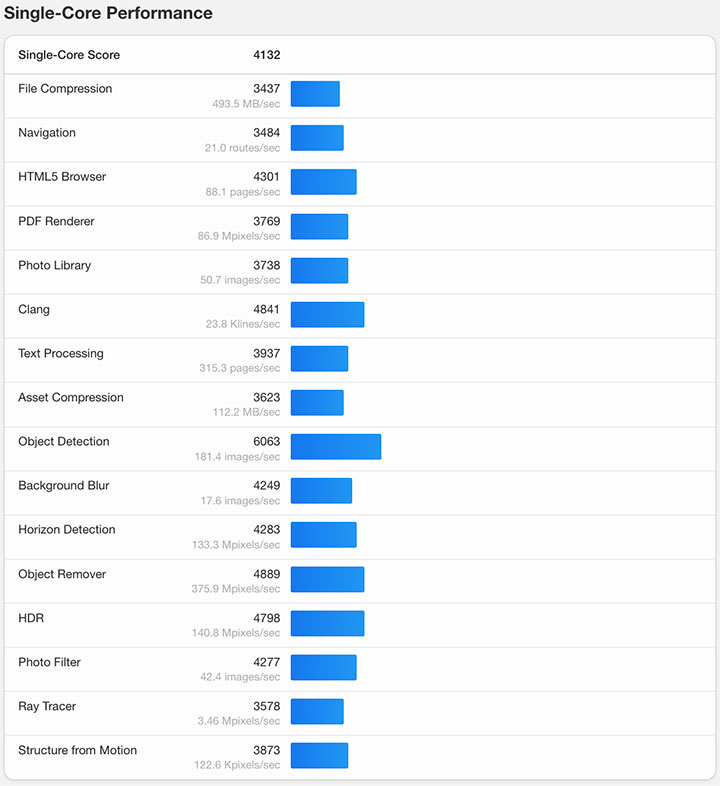
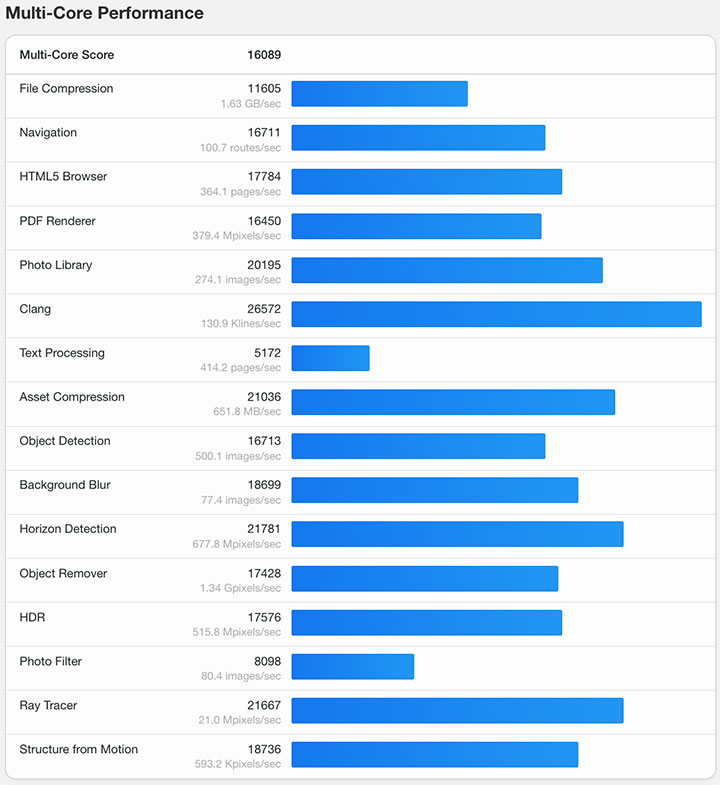
For GPU scores, we got 41,589 points in OpenCL and 74,775 points in Metal using GeekBench 6.5. For comparison, we also ran GeekBench on our other Mac (Mac Mini M1 and MacBook Air M3) and here’s what we got:
Mac Mini M1
GeekBench 6.5 Single-Core score – 2,325
GeekBench 6.5 Multi-Core score – 8,061
GPU OpenCL – 18,837
GPU Metal – 32,859
MacBook Air M3
GeekBench 6.5 Single-Core score – 2,944
GeekBench 6.5 Multi-Core score – 11,208
GPU OpenCL – 30,924
GPU Metal – 48,199
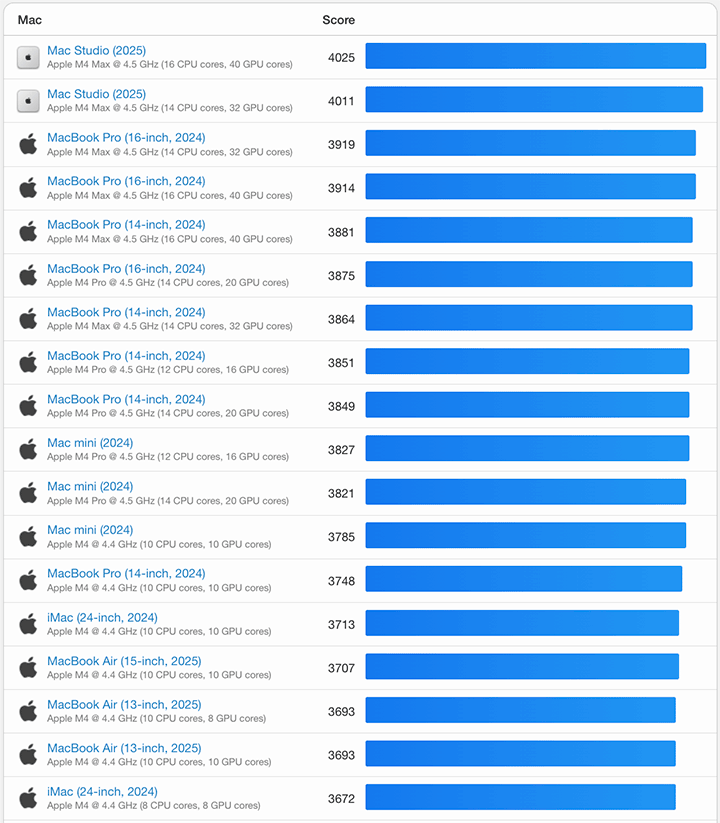
Compared to other previous Apple silicon, the M5 is certainly a powerhouse. You will see in the chart below that it ranks at the top among previous silicon chips in single core performance:
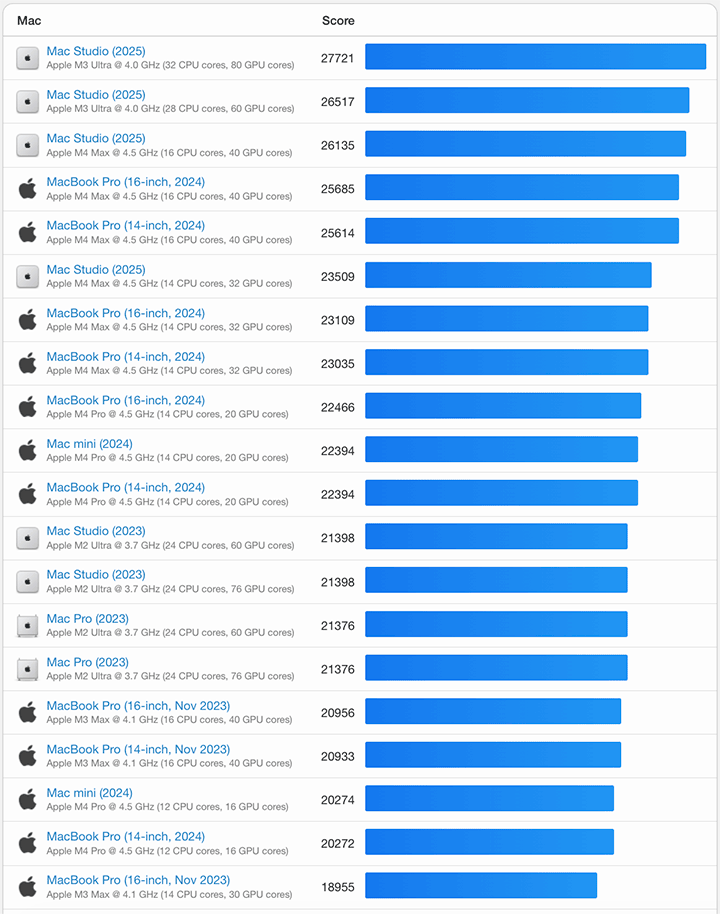
Same goes with multi-core performance, according to GeekBench 6.5:
I’m not really a big gamer on a laptop and the last serious game I played was Diablo IV on my desktop PC about a year ago. However, the MacBook Pro M5 is no slouch with gaming either as I’ve seen and tried playing AAA games such as Cyberpunk 2077 for a bit.
On a practical note, I prefer using the Mac environment when working with video production, especially when editing 4K videos. It has been our experience that rendering hi-res videos on Final Cut Pro on a Mac beats running the same on Adobe Premiere on a PC (or Premiere on the same Mac for that matter). That’s one of the biggest reasons I switched to a Mac many years ago.
Connectivity and Battery Life
One of the biggest draw of the MacBook Pro is the use of Thunderbolt 4 USB-C ports — all three of them supports fast charging, DisplayPort and up to 40Gb/s Thunderbolt 4 and USB 4 transfer speeds. This is great if you’re handling large files, like in video production. One benefit of which is the use of an external USB 4 SSD drive and still get the same speeds as the internal storage.
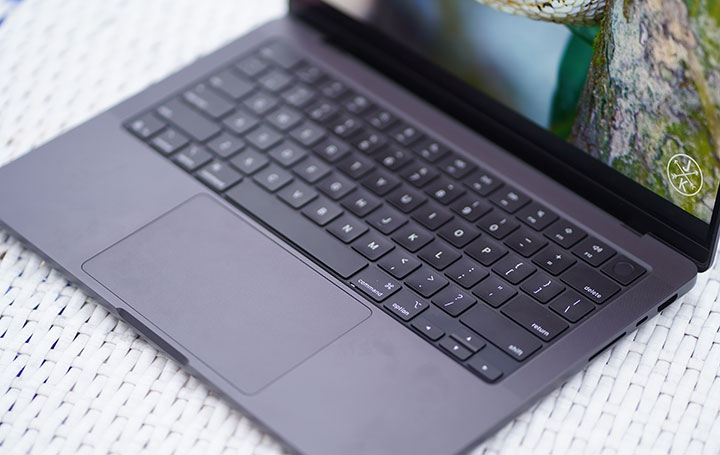
Likewise, you should be able to connect the MacBook Pro to two 6K (@ 60Hz), one 8K @ 60Hz or one 6k (120Hz, Thunderbolt) and one 4k (120Hz, HDMI) external displays via a single Thunderbolt port. That’s where the HDMI port comes in, if you want to get 120Hz refresh rates on external displays. The base M5 chip can do two external display with the internal display turned on.
For wireless connectivity, you get WiFi 6E and Bluetooth 5.3 as the basics. And, if you’ve read our review of the iPhone 17 ProMax, AirDrop is a core feature in the Apple ecosystem.
The model that I have been using comes with a 72.4Whr LiPo battery that promises up to 24 hours video streaming or up to 16 hours wireless web browsing. Based on our own experience, this is pretty accurate and the MacBook Pro M5 delivers long battery life.
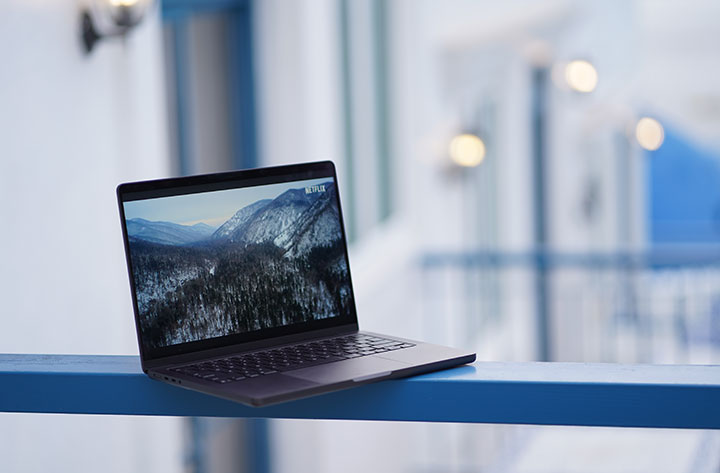
In one of our tests, we played a full HD 1080p movie at 50% brightness, 50% volume in full screen and with WiFi turned on. The MacBook Pro could last between 22 hours to 24 hours & 26 minutes (making room for margin of error in the extrapolation). Legit!
When charging, you can use the dedicated MagSafe 3 port or use any of the USB-C port to charge the laptop. It comes with a 70W USB-C Power Adapter but the device can support up to 140W of charging using a compatible charger.
Apple claims the included 70W charger can juice it up from 0 to 50% in about 30 minutes and that’s what we’re seeing as well (a little bit over 30 minutes at times). This is using the MagSafe 3 charger and going to a full 100% take a bit over an hour. Third party chargers using USB-C ports will work but could take a bit longer.
Conclusion
As a long-time MacBook user, the new 14-inch MacBook Pro M5 is a no-brainer. It combines reasonable portability with great performance and a little bit of flair without overdoing it. You get everything you need in a workhorse laptop along with a solid operating system.
If you are after performance and the full laptop experience, the MacBook Pro is the way to go. You get the complete set of ports and slots, longer battery life, and top-notch performance. This is great if you are heavily working with productivity tools like Adobe CC or DaVinci Resolve in our case (mostly for video production).
With a starting price of Php 99,990 for the 16GB + 512GB variant, the MacBook Pro M5 might seem heavy on the pocket. It goes up to Php 203,990 for the 32GB + 4TB variant and an additional Php 10,000 to upgrade to nano-texture display.
However, if you consider the performance that the M5 brings and the additional hardware features that come with it, the MacBook Pro M5 is a reasonable investment for any serious user. Otherwise, if you are just starting out in the macOS ecosystem, and with very light usage needs, the MacBook Air is a good starting point.
Complete Variant Pricing:
₱99,990 – 16GB + 512GB
₱112,990 – 16GB + 1TB
₱125,990 – 24GB + 1TB
₱138,990 – 16GB + 2TB
₱151,990 – 24GB + 2TB
₱164,990 – 32GB + 2TB
₱177,990 – 16GB + 4TB
₱190,990 – 24GB + 4TB
₱203,990 – 32GB + 4TB
What we liked about it:
* Impressive performance
* Great display quality
* Long battery life
* Lots of config options
* Solid operating system
What we liked less:
* Steep entry price
* Slightly on the hefty side
Apple 14-inch Macbook Pro M5 specs:
14.2-inch Liquid Retina XDR display @ 3024×1964 pixels, 254 ppi
Apple M5 chip
10-core CPU (4 performance cores + 6 efficiency cores)
10-core GPU with Neural Accelerators in each core
16-core Neural Engine
16GB, 24GB LPDDR5x RAM (up to 32GB)
512GB, 1TB internal storage (up to 2TB, 4TB)
12MP Center Stage camera
WiFi 6E (802.11ax)
Bluetooth 5.3
macOS 26.2 Tahoe
72.4Whr LiPo battery
70W USB-C Power Adapter
USB-C to MagSafe 3 Cable (2 m)
Space Black, Silver
1.55 kg / 3.4 lbs (weight)
1.55 x 31.26 x 22.12cm (dimensions)





0 Comments
Leave a Reply