infinix x yugatech

Chrome に新しいマルチタスク機能と PDF 機能が追加されました Google

Listen to article
GoogleがChromeに追加した3つの新機能は、ブラウザ内でドキュメントの処理とマルチタスクを強化するために設計されています。
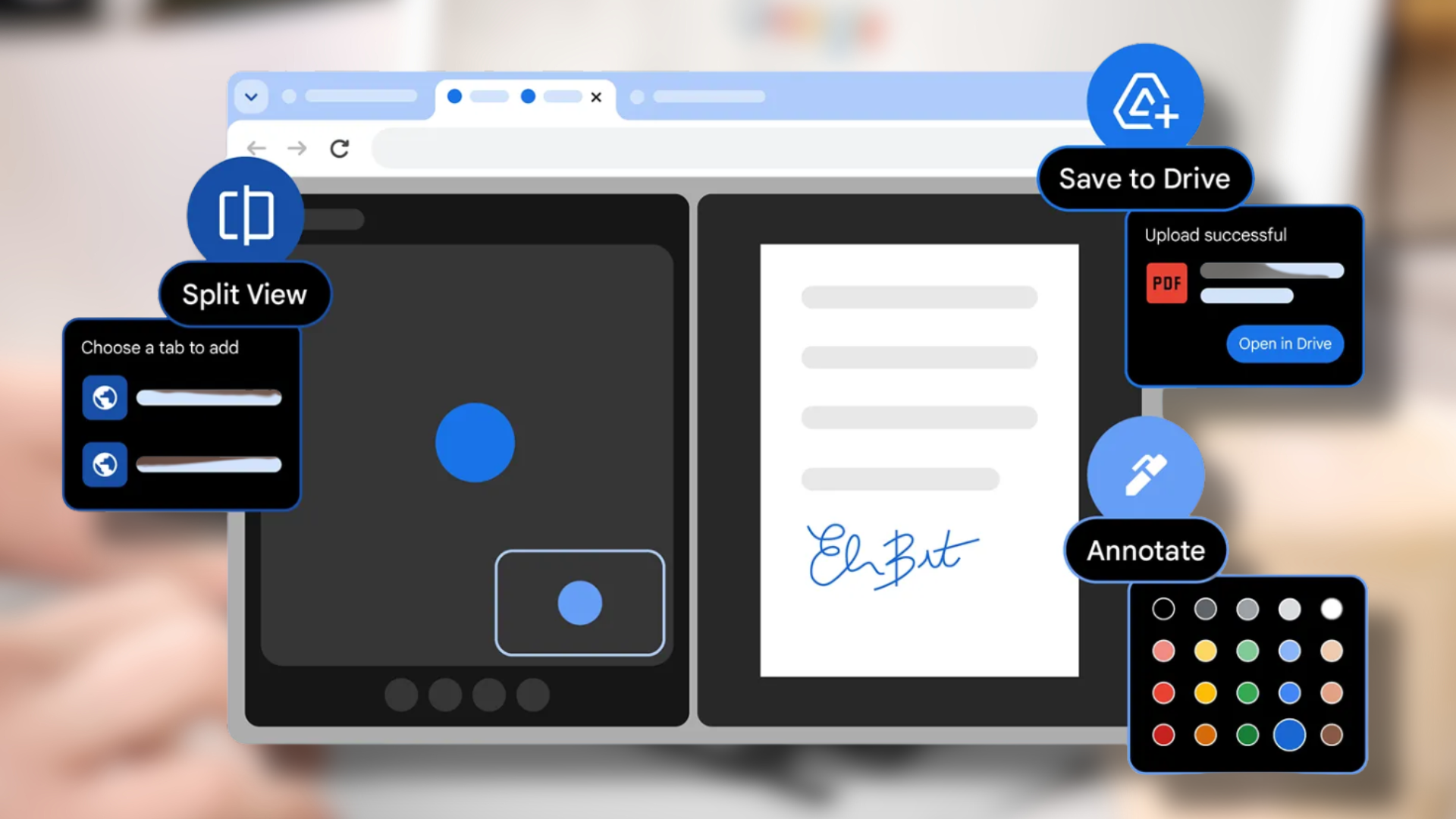
このソフトウェアアップデートにおける最も重要な新機能は、スプリットビューにより1つのウィンドウ内で同時に2つのタブを開くことを可能にするものです。ユーザーはこの機能により、異なるタブやウィンドウ間で切り替える必要がなくなるため、動画視聴中にメモを取りながら情報を比較したり、コーディングやドキュメント作業のために参照資料を確認したりすることができるようになります。

ユーザーは、ブラウザ内で動作する Chrome の PDF 表示ツールを通じて注釈機能を利用できるようになりました。ユーザーは、PDF ファイルをダウンロードしたり別アプリを開いたりすることなく、テキストのハイライトやメモの追加を直接 PDF ファイル内で行うことができます。この機能には、レポートの評価、教材へのマーク付け、および文書のデジタル署名という 2 つの目的があります。

最新のソフトウェア更新により、ユーザーは Google ドライブアカウントに対して直接 PDF ドキュメントを保存できるようになりました。新しいシステムでは、ファイルをダウンロードしてアップロードする必要なく、「Chrome から保存」名の特設フォルダに PDF ファイルを直接保存できます。

これらの機能は、最新の Chrome アップデートを通じて、個人ユーザーおよび企業ユーザー向けに段階的に展開されています。

React to this article:
Written by
Erl Burtanog

Erl Burtanog

Senior Writer

Erldian Burtanog is a Communication Arts graduate who brings a fresh perspective to the world of technology. His curiosity and passion for storytelling have led him to cover the latest in tech, innovation, and digital trends. He specializes in video production, editing, and writing, and has covered events both locally and internationally for YugaTech. Outside of tech journalism, he creates fashion content and pursues his interest in styling, blending creativity with media and storytelling.

View all posts by Erl Burtanog →

0 Comments

Leave a Reply

Loading next article...