

OpenAI has rolled out a new ‘Study Mode’ feature via ChatGPT. This aims to help students leverage AI responsibly for educational purposes.

Study Mode is accessible through the tools button in ChatGPT and offers step-by-step guidance for understanding topics.
It works as a digital tutor, aiding users to navigate through complex subjects. Users may upload materials like past exam papers or other supporting images to provide better context for the AI.
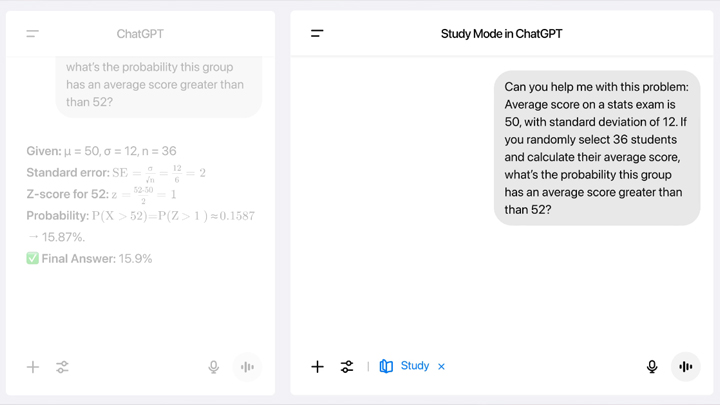
OpenAI showcased how it worked using a math problem. When asked to explain Bayes’ theorem, ChatGPT checks the user’s math background and goals. It then provides explanations in a structured, informative format.
The feature was released in response to concerns over AI misuse in schools. According to OpenAI, over one-third of U.S. college-age users use ChatGPT. They also added that there’s a significant portion of activity related to academic support.
Study Mode is designed to promote learning and comprehension, but it doesn’t restrict access to direct answers. Students who choose to can still use the chatbot for quick solutions.
Study Mode is available to all ChatGPT users and is expanding to Edu plans in the coming weeks.







Hi!
First impressions online happen instantly. If your site is outdated, they bounce — fast.
We revamp websites that build trust. Want a free audit of yugatech.com to see how it performs?
Reply “YES” and I’ll send it over.
Cheers,
Tcrocker