

Display and Multimedia
The 5.5-inch IPS screen presents itself with a Full HD resolution and a 1500:1 contrast ratio. Viewing angles are good, while images appear crisp and is also bright enough to be seen outdoors. There are also functions for the screen’s color temperature to be optimized at the user’s current environment via LiveDisplay, and the built-in adaptive brightness function works really well. You might be a bit concerned about the small black border from the bezel to the display, but it does not hamper the overall smartphone experience.
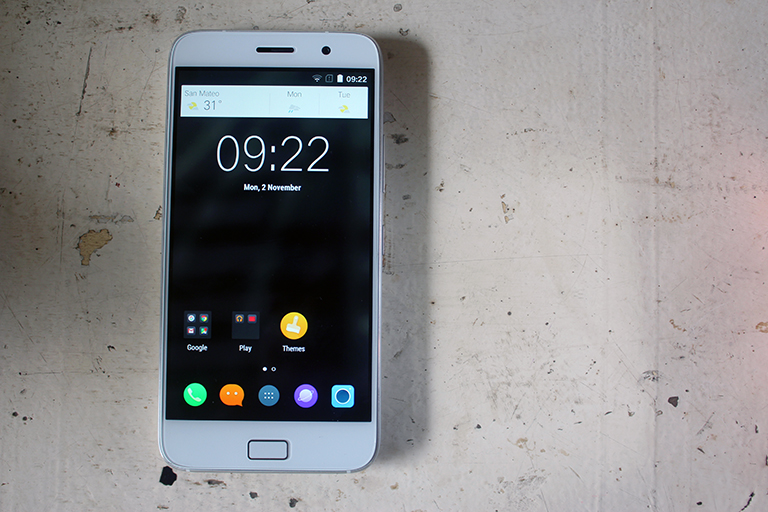
Multimedia content such as movies play well in the Z1. The speakers may appear to be a bit muffled when set to the highest volume, but is capable of blasting noise that can be heard inside a small, quiet room. ZUK didn’t include headphones in the package, but the audio feed from the headphone port is capable of delivering good quality sounds. There’s also a built-in synthesizer for tuning in to a sound of your liking.
Camera
The Z1’s camera app has live filters and modes such as Action, Steady Shot utilizing the OIS, and HDR in real-time. It also has minimal controls, and the autofocus is quick enough when aiming at the subject. You can also change how the touch focus sets on (the minimum is at 5secs), and the ISO before taking a picture.
With all the praises so far, we can’t really say that the Z1’s camera, with its stock camera app, be seen as its strongest point. It does a good job of capturing photos with great detail and color in broad daylight, but noticeable grains take part when you do the picture-taking indoors or during low-light conditions even with ambient lighting. Take a look at our sample gallery:


The videos are also okay and produces well-balanced clips in Full HD resolution at 30fps. Grains are evident as well and instances of shakiness can still be noticed despite having the OIS present. Here’s a sample video:
https://youtu.be/RdjJPMZo_RU
OS, UI, and Apps
As for what’s in the device, Cyanogen 12.1 based on Lollipop 5.1.1 is the star of the show. Appearance-wise, a lot of Material Design cues are still intact, and this can still make users feel at home with stock Android builds, unlike other ROMs that throw the UI away in favor of their own custom experience.
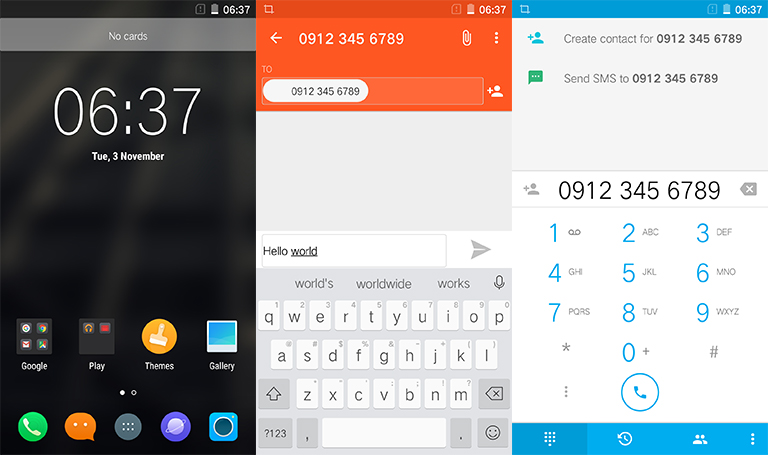
True enough, there’s a ton of features the normal Juan would find useful. Some of the noteworthy features are already mentioned beforehand, and here are more, to name a few: an option to put a password lock on a group of apps on your home screen, change your phone’s theme, shield your personal data from being accessed by apps, and TrueCaller integration so you’ll find out who calls you without even asking. There’s also an option to switch to on-screen navigation controls when you feel pressing on capacitive keys ain’t your thing, and scroll the app drawer without having your fingers swipe around that much.
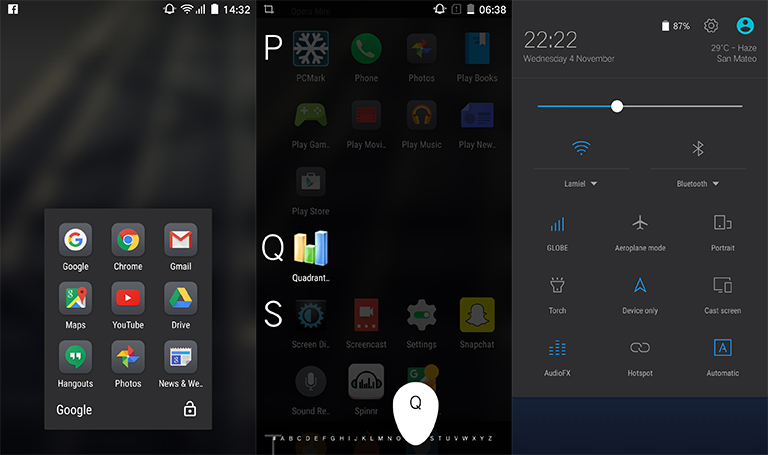
Several apps are also present in the device such as a Screencast app and AudioFX for tweaking music. There is 64GB of storage, leaving you with 54.6GB usable for both apps and media files. Sadly, this can’t be increased as there is no microSD card slot present on the device.
Updates are very often, too. Despite being a fork of the original Android OS, it’s refreshing to see that a lot of support has been pouring in. In fact, we received an update the moment we booted up the phone for the first time.





nice so ganda naman nyan edi wOw! malina camera hahahaha bibili ako nyan ma try nga..