

Facebook has begun to roll out shortcut bar settings to users of its mobile app.
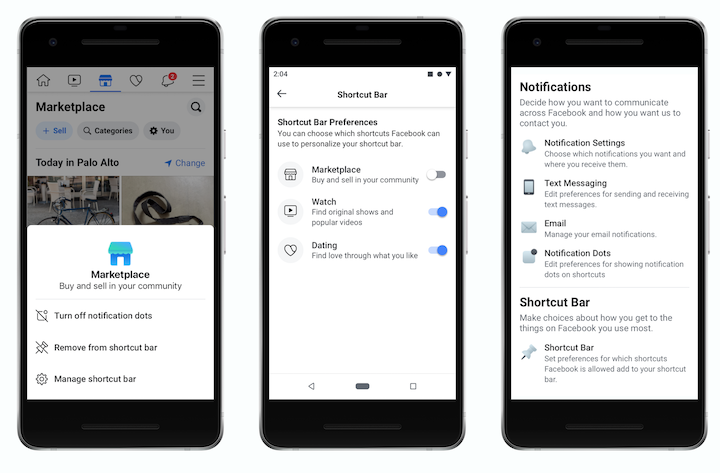
According to a report by TechCrunch, Facebook users now have the option to customize the shortcuts bar at the bottom by removing certain tabs such as Marketplace, Watch, Groups, Events, Dating, and more. Hiding notification dots for certain tabs is also possible as well. To remove a tab or hide notifications, press and hold any of the buttons in the shortcuts bar, and a menu will pop-up for users to select their preferences.
The shortcuts bar can also be managed by going to the Settings option in the menu and selecting Shortcuts under it. Facebook also confirmed to TechCrunch that the feature is now available for the majority of iOS users, while Android users will receive the roll-out in the coming weeks.
Source: TechCrunch







0 Comments
Leave a Reply