
Google has silently implemented the Dark Mode feature for its Chrome browser in Android. Read on to know how you can enable this feature.
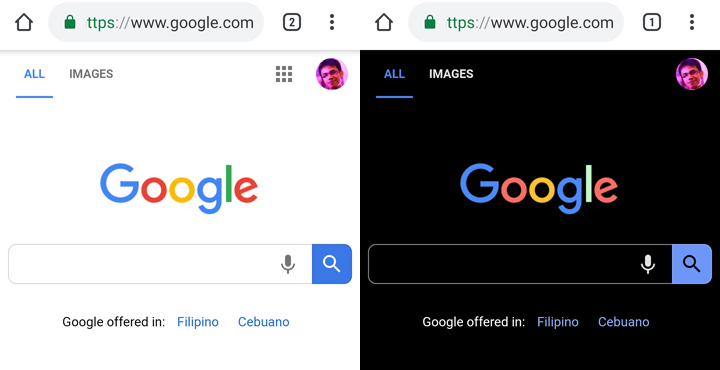
The Dark Mode feature for Google Chrome Mobile is still at an experimental phase so expect that enabling it will take unusual steps to go to it.
- First, make sure that your Google Chrome application is up-to-date.
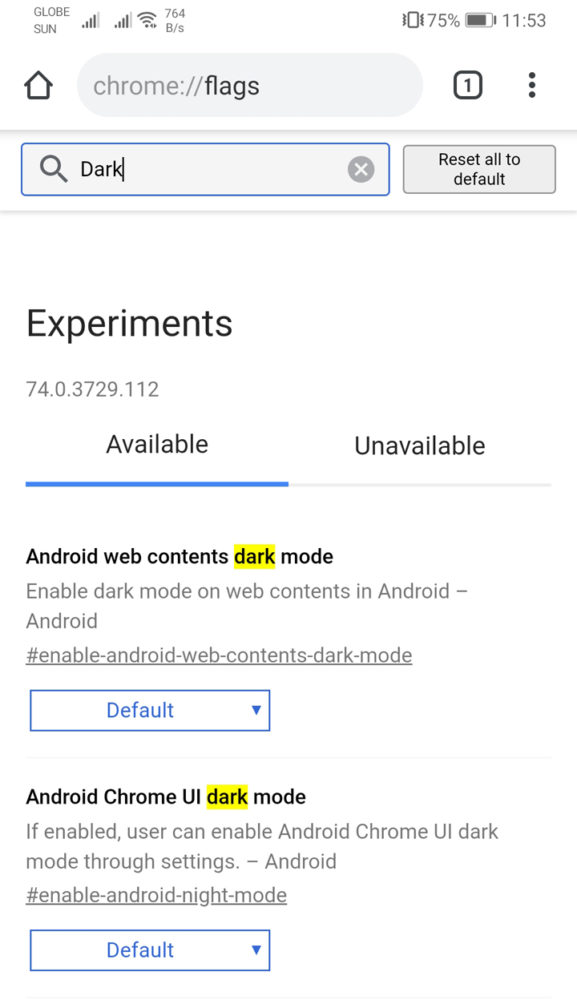
- Open the browser application and type in “chrome://flags” in the search bar.
- You’ll be presented with numerous experimental features but you can easily search for it by typing “dark” in the search bar.
- Press on the “default” option on the Android Web Contents dark mode and Android Chrome UI dark mode and choose “Enabled“
- Restart the Chrome app and you’ll be greeted with a dark interface.
You will still know the difference of the dark mode and the Incognito mode of the browser as the latter have a Gray-colored background while the former has a pitch black color.
Author’s Note: The feature may not appear to some even if they have an updated version of the app given that it’s still in the experimental phase. It is also not yet perfect so if you encounter any issues, you can go back to the original settings.







I just updated to version 75, where toggling dark mode is now accessible in settings.