
As the back-to-school season nears, many are on the lookout for sulit devices that can handle both school and work tasks.

One solid budget contender that saw a release this year now is the OPPO Pad SE. It’s OPPO’s latest budget tablet that doesn’t scream “budget” at first glance. In fact, it’s got this sleek vibe going on that feels way more premium than its price tag might suggest.
But how does it hold up beyond the looks? Let’s dive into our full review to see if this affordable tablet is truly worth considering.
Design and Construction
On the outside, the OPPO Pad SE doesn’t try to look like a cheap, budget tablet. But rather, it sports a sleek, minimalist look.
Our unit is in the Starlight Silver colorway and its back housing has this two-tone finish albeit both are matte to the touch. Up close, while the frame is mostly flat, you’ll see some slight curves around the edges.
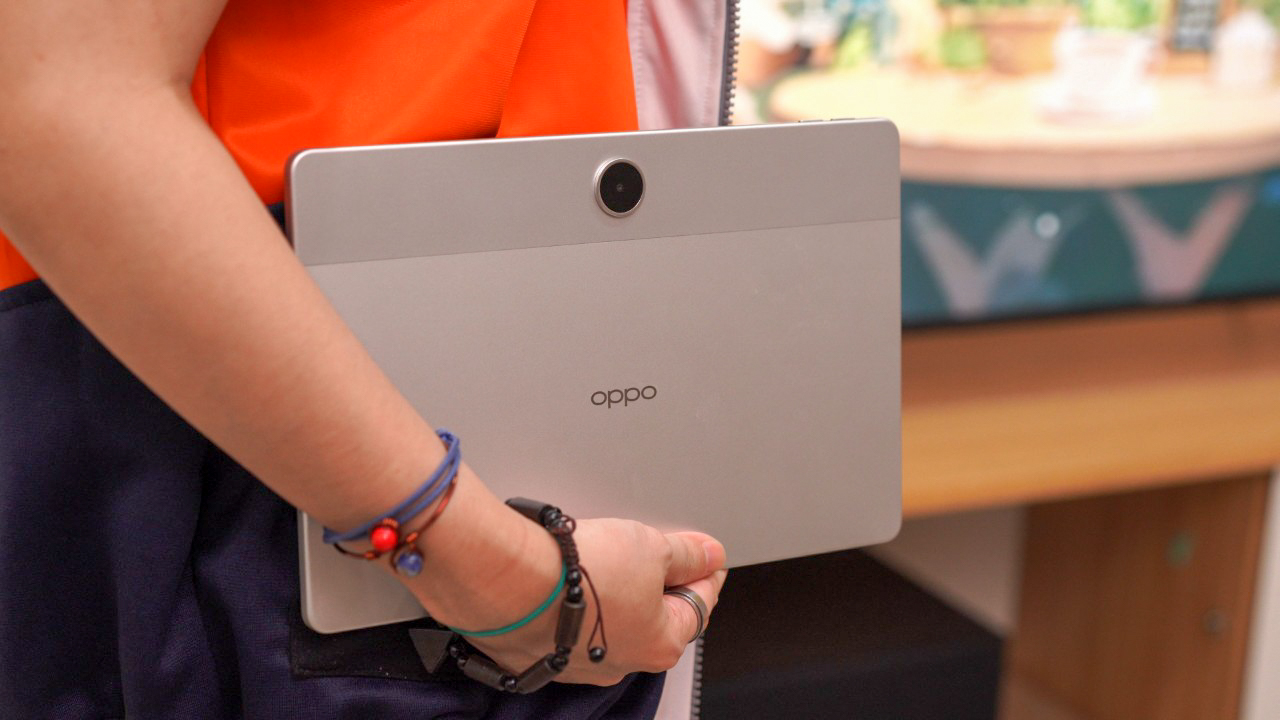
The tablet is surprisingly lightweight and slim, weighing only 530 grams and goes 7.39 mm thin. This setup along with the micro-curved edges make it a bit more comfortable to carry around.
Its metallic body is quite resistant to smudges and the material used adds a level of premium in the hands.
The caveat though is that the tablet has no added protection whatsoever. So, it’s best to slap on a protective case and try not to spill your coffee on this thing.
For I/Os, in landscape orientation and facing the screen, you’ll find the volume rocker and microphone slit on top. Although, it’s kind of weird that there are two, separate volume up and down buttons.
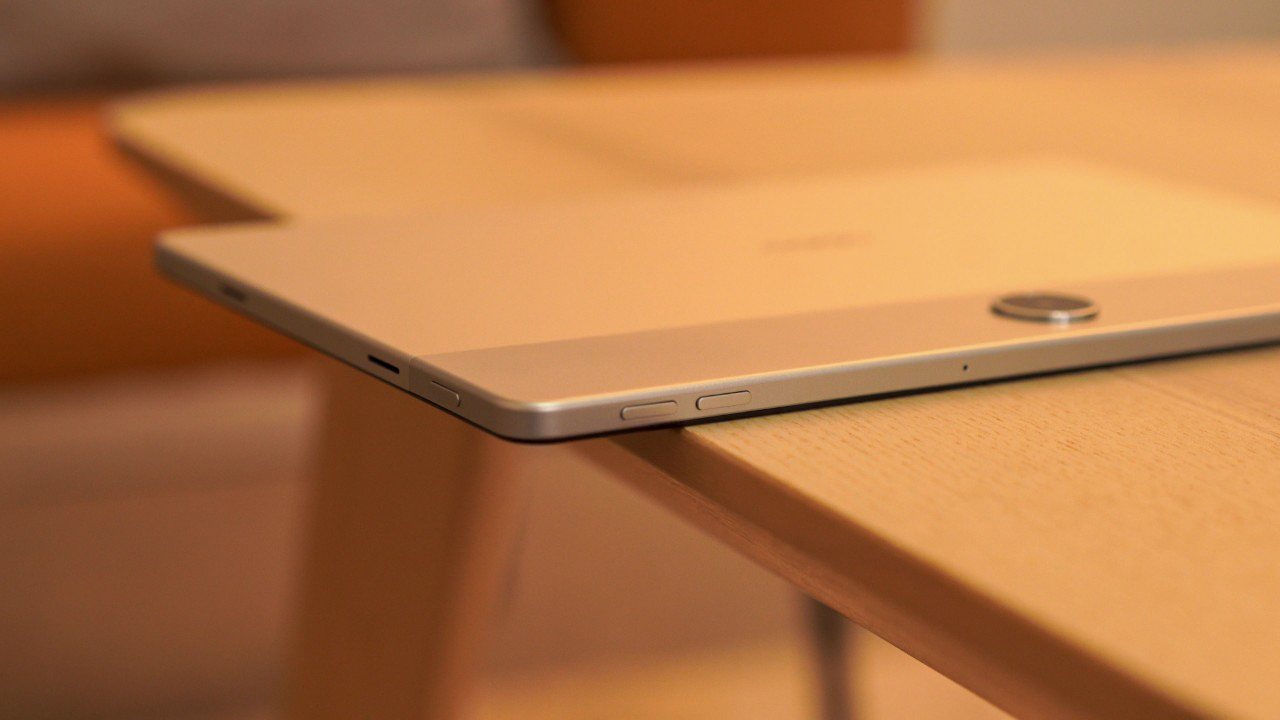
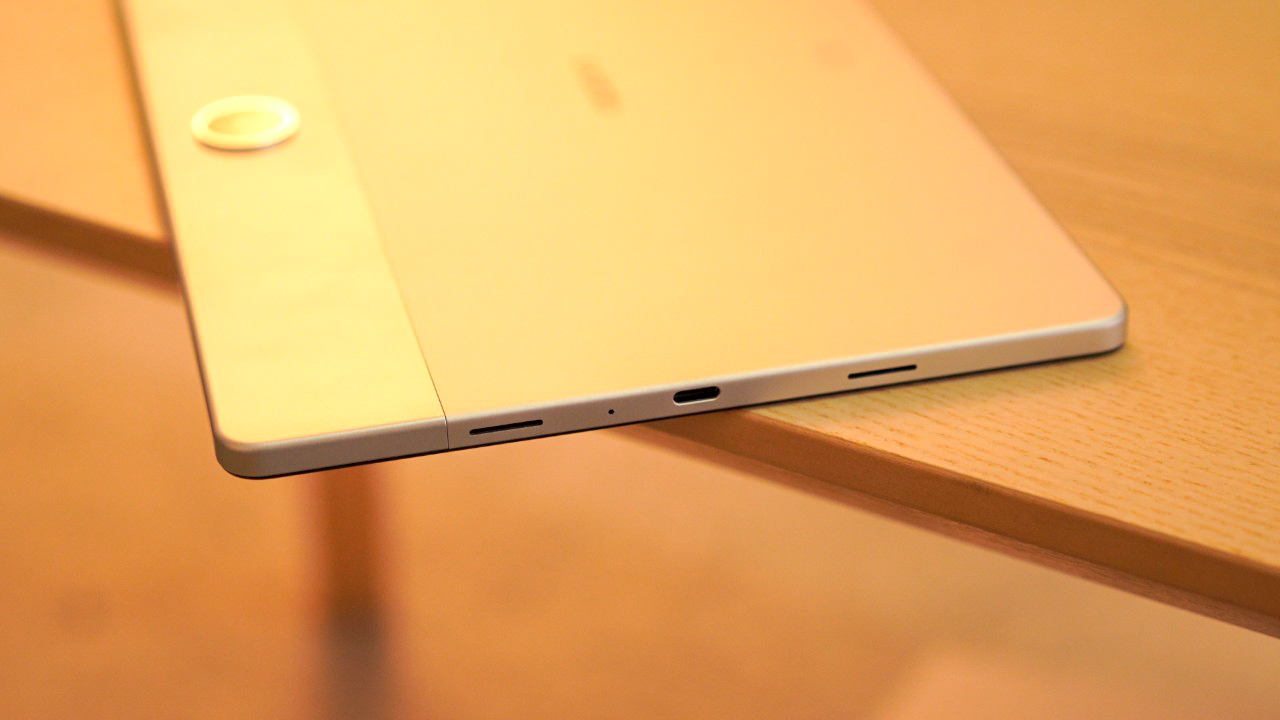
Anyways, the power button is on the left along with two speaker grills, while the other two speakers and the USB-C port are located on the right. The bottom part is left clean.
As you may have noticed, there’s no SIM card nor a microSD card slot, and that is quite a drawback considering other tablets in its price range supports expandable storage, and some even have LTE connectivity.
Display, Multimedia, and Biometrics
Flip the tablet to front, you’re greeted by an 11-inch Full HD+ IPS LCD panel running at 90Hz refresh rate. The screen resolution (1920 x 1200) is definitely crisp for its class.
While the peak brightness tops at 500 nits, it is decent enough for indoor use, plus, the display bezels are surprisingly slim, but not too slim for my palm to register accidental touches.
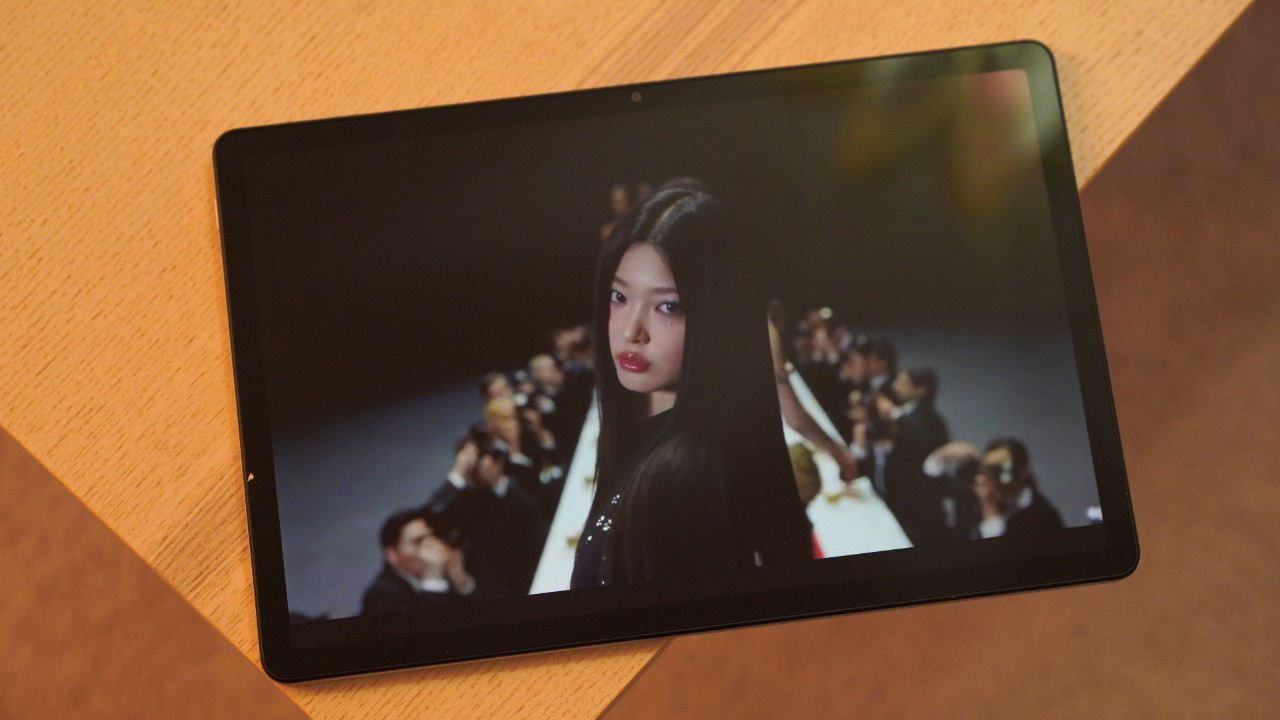
Apparently, there’s a matte display version of the OPPO Pad SE, but that model is only available in Singapore, which is kind of a bummer. It would’ve been nice to see an affordable tablet with a matte screen since this feature is currently limited for the high-end models.
Back to the OPPO Pad SE, its visual quality is decent, and since it’s using an IPS LCD screen, you’re getting less vivid colors and blacks aren’t as deep as an OLED panel. Still, the overall visual experience will suffice your daily consumption.
It supports Widevine L1 allowing for HD viewing on Netflix, and it also supports up to 4K (2160p) streaming on YouTube. Thus, it’s not missing out on delivering high quality media for its price.
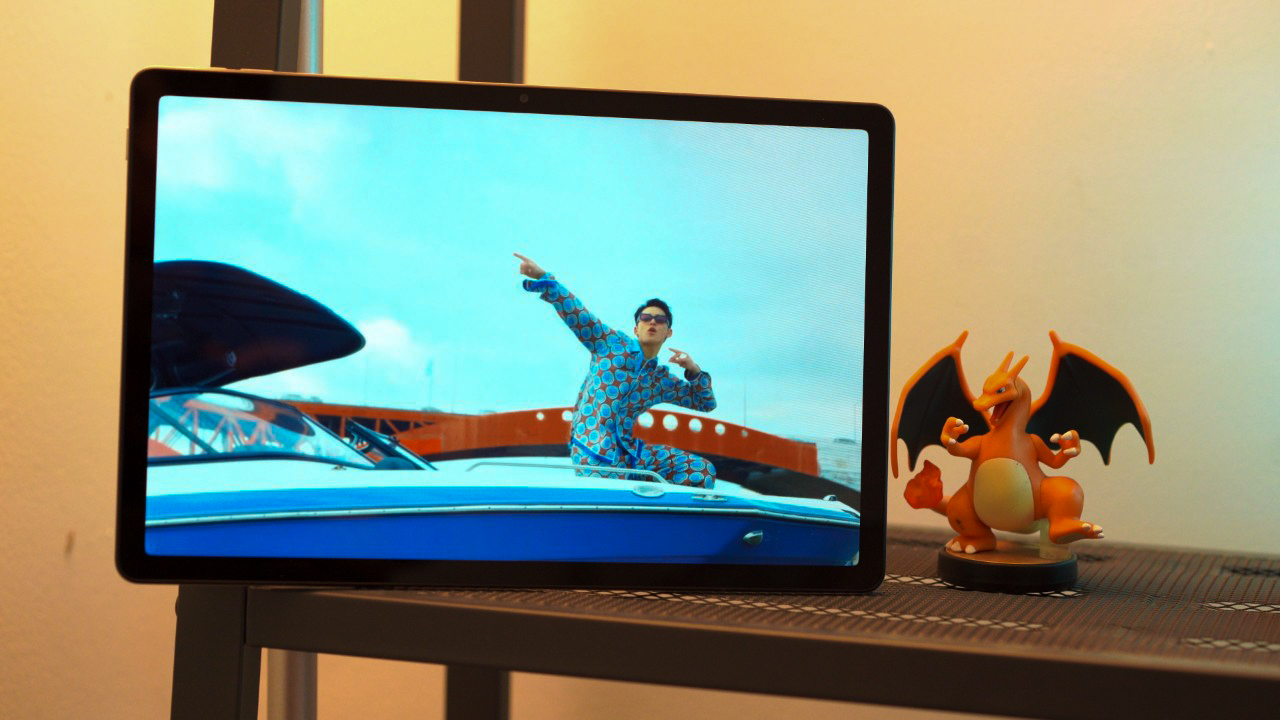
The tablet has a quad speaker setup, and it sure does add a level of immersion on watching your favorite shows. The audio is quite loud and can easily fill a room, and the overall audio quality is good enough for your entertainment needs.
The highs and mids are okay, though the bass is not as punchy to my liking.
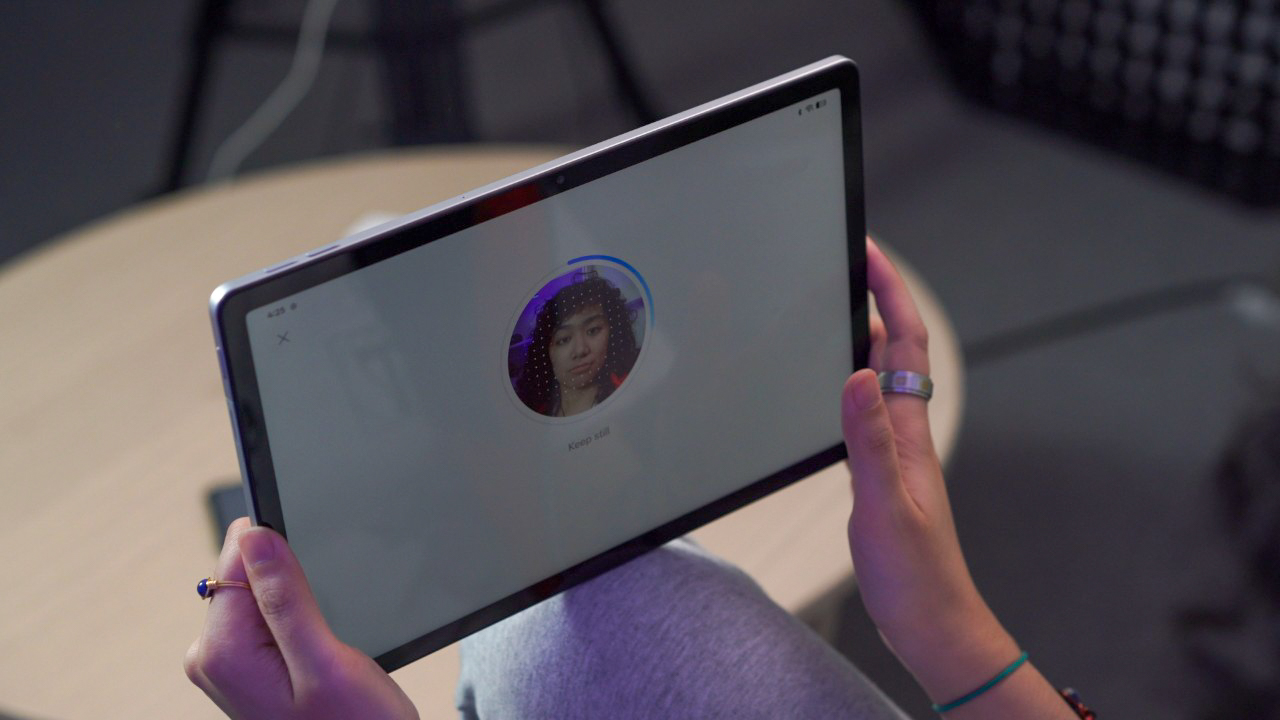
As for biometrics security, the tablet only supports facial recognition, so while it is decently fast, it is not as secure as other options, say, a fingerprint sensor.
Camera
For optics, the OPPO Pad SE has a basic set of cameras. Both of its rear and selfie cameras consist of a 5-megapixel sensor. With the specs alone, you can kinda imagine already how its cameras are gonna perform.
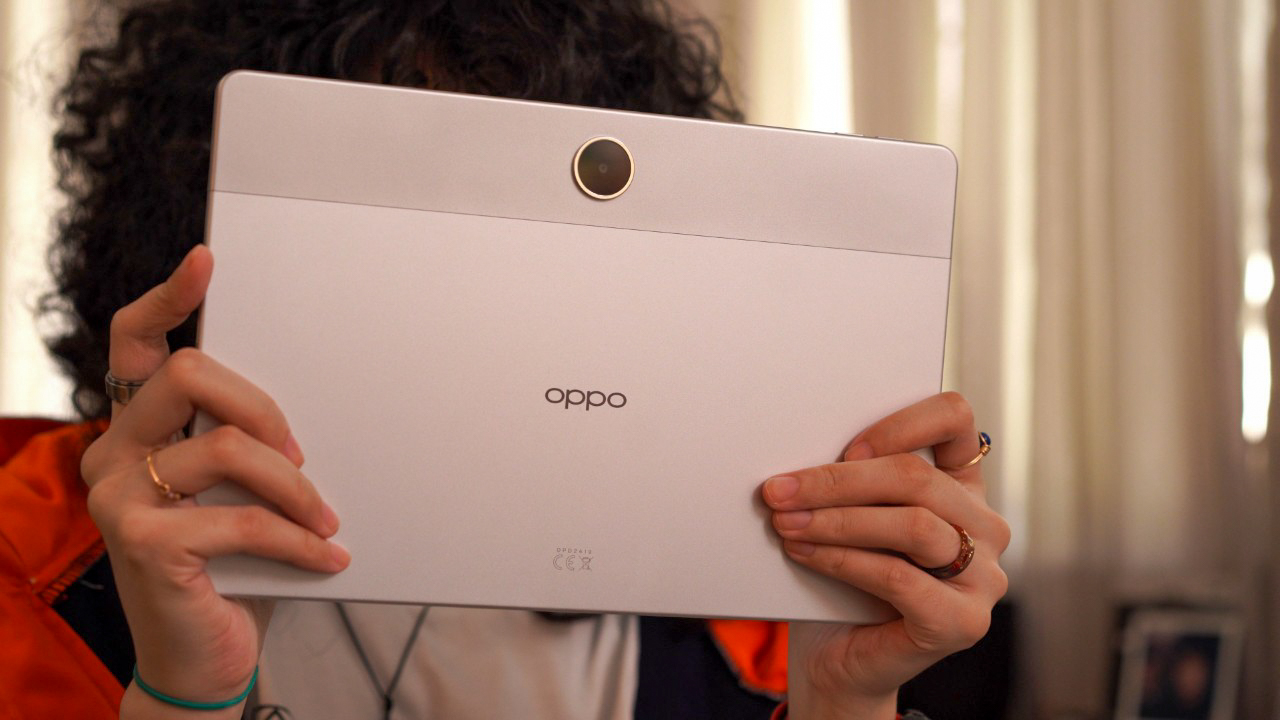
In good lighting, images come out okay with less sharp detail, decent colors, and limited dynamic range. The same level of quality applies on the selfie camera.
And you don’t want to capture photos in low light with this one as images start to look blurry and washed out.
OPPO Pad SE Sample Shots
Tuesday, Jun 3, 2025


For video capture, the tablet can shoot at a max resolution of 1080p at 30 fps. No optical stabilization here as expected of a budget-friendly device.
Perhaps, the best utility of this tablet’s cameras is definitely for online meetings and classes as well as convenient snaps of documents or writings on the whiteboard for reference.
Just like we always say in our usual tablet reviews, you’re better off capturing photos with your smartphone because Android tablets, in general, fall short in the camera department. So, there’s that.
Performance and Benchmarks
Now, when it comes to performance, you may have to manage your expectations.
Under the hood, the OPPO Pad SE runs on the MediaTek Helio G100 chipset. Our unit comes with 4GB of RAM and 128GB of internal storage.

You’ll see that in our benchmark tests, the tablet achieved adequate results for CPU tasks, but in terms of graphics processing, the tablet leaves much to be desired.
| Benchmark | OPPO Pad SE |
| Chipset | MediaTek Helio G100 |
| AnTuTu V10 | 437,103 |
| AnTuTu Storage | 58,648 |
| S.Read Speed | 1042.7 MB/s |
| S.Write Speed | 928.3 MB/s |
| 3DMark Wild Life | 1,311 | Avg. FPS: 7.85 |
| 3DMark Wild Life Extreme | 372 | Avg. FPS: 2.23 |
| Geekbench 6 CPU Single-Core | 720 |
| Geekbench 6 CPU Multi-Core | 1,938 |
| Geekbench 6 GPU OpenCL | 1,368 |
| Geekbench 6 GPU Vulkan | 1,399 |
| PCMark Work 3.0 performance | 8,729 |
| PCMark Work 3.0 battery life | 17 hours and 56 minutes |
Its ANTUTU score reached over 400,000 points which is just right. However, for graphic-intensive tasks like 3DMark, the tablet struggled to deliver — with an average frame rate of about 8 fps.
That already explains a lot about its gaming performance, but that’s to be expected. In fact, I tried playing a graphic-demanding title like Wuthering Waves and it was far from playable.
There were lots of stuttering, and my controls weren’t registered properly, but the tablet was responsive enough to let me get back to the home screen and be able to close the game.
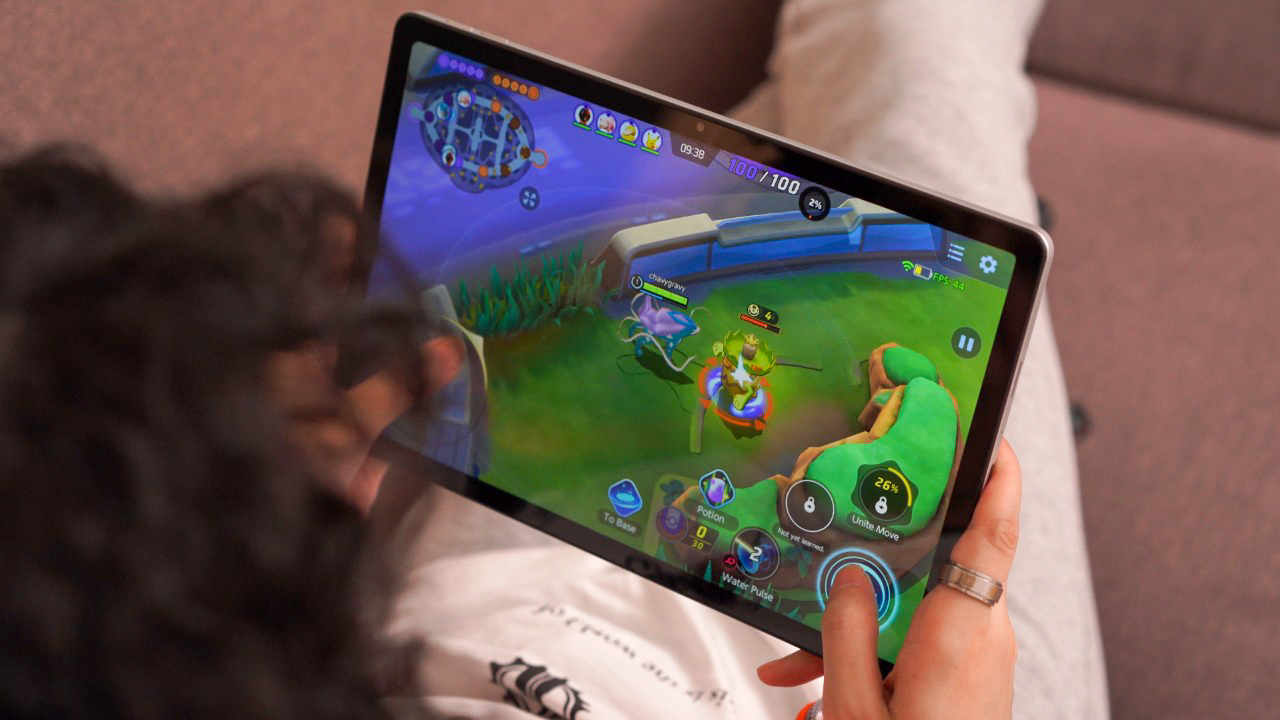
On the bright side, the tablet runs a little bit better when playing more casual games like Pokémon Unite or Mobile Legends: Bang Bang at low graphics settings. Although, frame rate dips are still bound to happen from time to time, so it’s really not your best bet for gaming.
As you can see in my ranked MLBB gameplay below, most of the time, doing a “fast hands” combo with Gusion was difficult to pull off. Also, there were times that the screen was unresponsive, and you can notice that when I try to hover the map.
I would say, it can handle productivity tasks quite well since launching and switching from different apps were smooth in my experience. You just have to be careful opening multiple apps simultaneously as the tablet tends to refresh them very often due to its limited memory.
Additionally, since the tablet lacks expandable storage, your apps and files can fill up the available space relatively quickly. So, it’s important to keep an eye on your storage usage.
OS, UI, and Apps
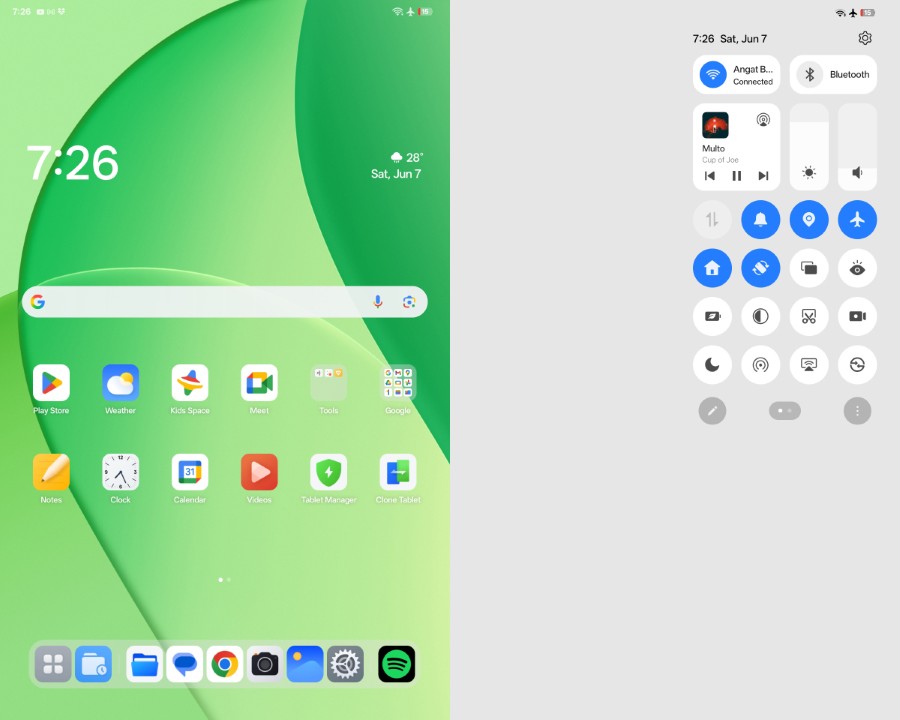
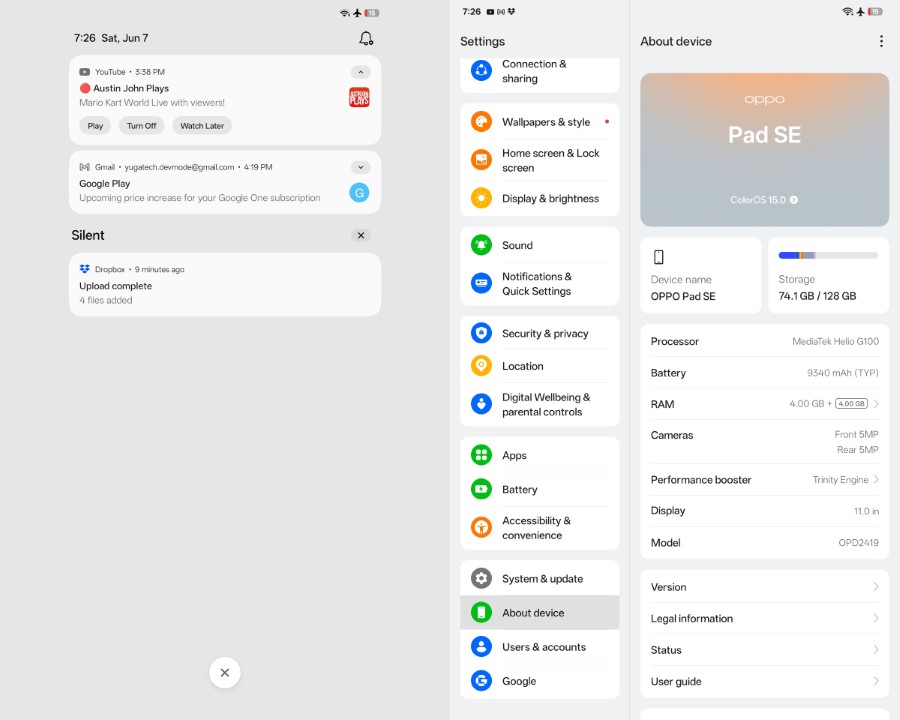
On the software side of things, I’m happy to report that the OPPO Pad SE ships with the latest Android 15 out of the box. It’s overlayed with ColorOS 15 on top, but this UI appears to be a lite or toned-down version — which makes sense for a budget device.
One clear sign that this is a lite version is the absence of system-wide blur effects. For example, when you open the control or notification panels, the UI just shows a plain, solid background instead of having a blurred wallpaper.

Despite the fact, navigating the tablet feels snappy and quick. You can also appreciate that there’s little to no bloatware on this device at all, except the first-party system apps and the obligatory Google apps.
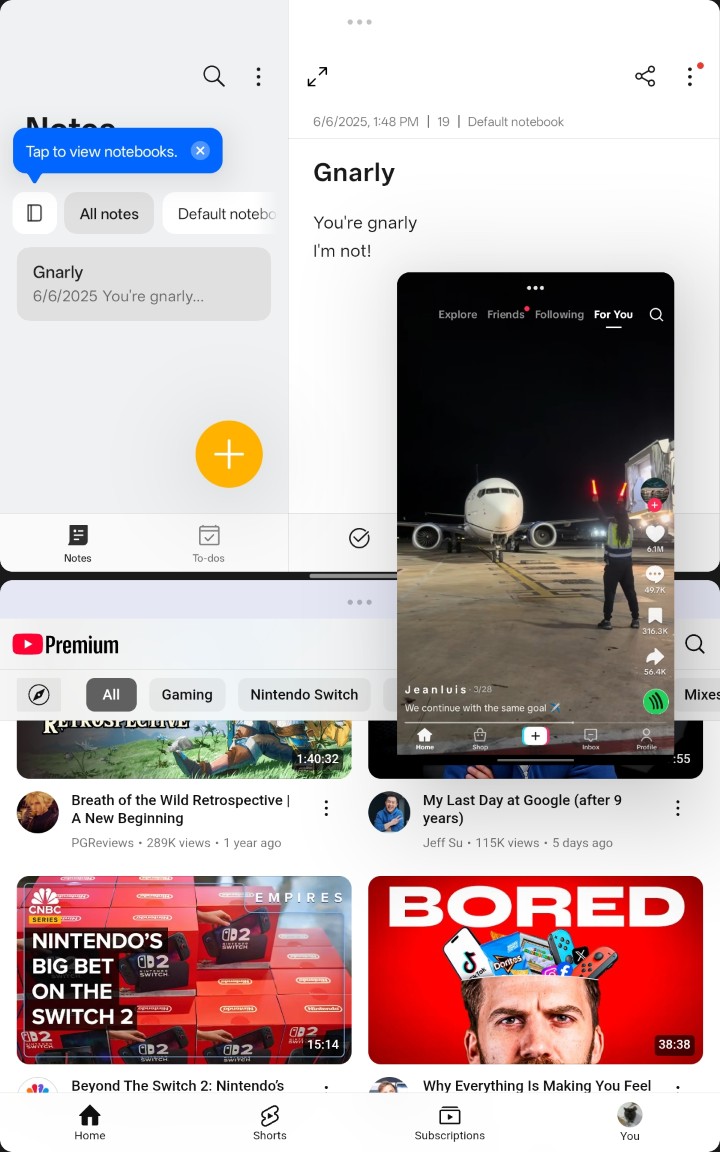
Users will also appreciate the tablet’s multi-tasking features such as split-screen and floating window. The latter is limited to only one floating window and if you add more, the other app will be minimized to a small icon. I find this great for power users who like to work on different apps at the same time.
In terms of AI, I found this nifty Document Summary, which as the name suggests, extracts relevant info from your documents. On top of that, you can also make use of the AI Rewrite feature to polish, summarize, and even shorten your write-ups.
Unfortunately, OPPO hasn’t mentioned how long they will provide software updates for the OPPO Pad SE. The brand does say that they pledge a minimum of three years for security updates. Take note: that’s three years of security updates, not software upgrades, but that’s about it.
Connectivity and Battery Life
Moving on to battery life, this is where the OPPO Pad SE really excels.
Powering this tablet is a large 9340mAh battery paired with 33W of wired charging, and the additional battery capacity indeed makes a difference here.
During my time using the tablet, it easily lasted me over two days of runtime on a single charge with regular use. I didn’t play games as much, but oh boy the amount of binge watching I did on this tablet was ridiculous.
That usage also included a lot of reading, as well as doom scrolling on TikTok.
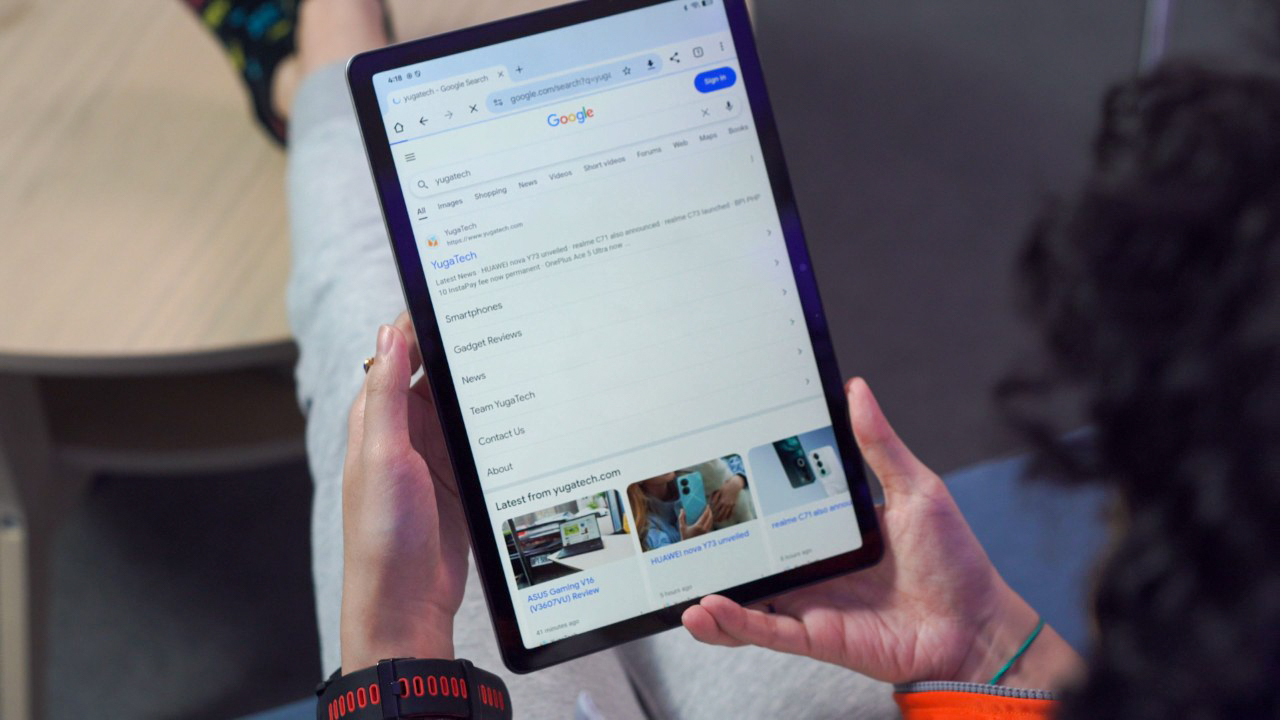
As a matter of fact, our PCMark battery test can vouch for me with the OPPO Pad SE achieving 17 hours and 56 minutes of battery life.
OPPO even claims the battery life can last for years, specifically for up to 800 days when Smart Power Saving mode is enabled in Settings.
The tablet supports 33W wired charging, but the bad news is that there’s no charging brick included in the box. So, when I had to use a non-SUPERVOOC charger (specifically a 120W Xiaomi charger), the tablet took a little over two hours to fully charge.
So, if you have a SUPERVOOC charger lying around, it’s best to keep it for this one to fully enjoy its fast charging capabilities.
Connectivity-wise, our unit is limited to the Wi-Fi version, and as it stands, only the Wi-Fi model is available for purchase in the Philippines. For specifics, the tablet supports Wi-Fi 5 and Bluetooth 5.4.
Pricing and Verdict
Finally, let’s talk about the price and answer the question: what do we think of the OPPO Pad SE?
At PHP 9,999, the OPPO Pad SE doesn’t try to be the most powerful or fancy device, but it does offer a good mix of style and basic features that many people will find useful.

Its 11-inch display is crisp paired with loud audio; the OS is clean and provides the essentials; and the massive battery lasts you for days. For a tablet of this caliber, it is surely one of the best picks out there.
With all that said, the OPPO Pad SE is a solid choice if you want a tablet that looks nice and works well for everyday use without costing a lot.
What we liked:
- Crisp 11-inch IPS LCD screen
- Loud quad speakers
- Clean OS
- Long-lasting battery life
What we didn’t like:
- Mediocre camera experience
- Exclusion of charging brick in-the-box
OPPO Pad SE specs:
11-inch FHD+ IPS LCD
1920 x 1200 pixels, 90Hz refresh rate, 207 ppi
500 nits peak brightness
MediaTek Helio G100
4GB RAM
128GB storage
(Not expandable)
5MP f/2.2 single rear camera
5MP f/2.2 selfie shooter
Wi-Fi 5
Bluetooth 5.4
USB Type-C
Face unlock
Quad stereo speakers
ColorOS 15.0.1, Android 15
9340mAh battery
33W charging (wired)
254.91 x 166.46 x 7.39 mm
530g
Starlight Silver, Twilight Blue (colorways)
Product links: Lazada Lazada →, Shopee Shopee →, TikTok Shop

Got this laat 6.6 on shopee. Is it normal that the battery is draining 10% per 1 hour of screen on time? I Feel that it is kinda fast. 😅