

Windows Phone 8 is now officially upon us as Microsoft has finally pulled the curtain off on their latest mobile OS. Head past the break to find out more about this revamped version of the Windows Phone OS.
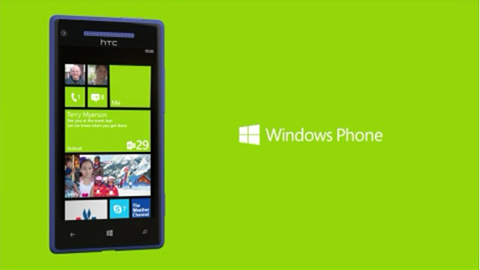
More Apps
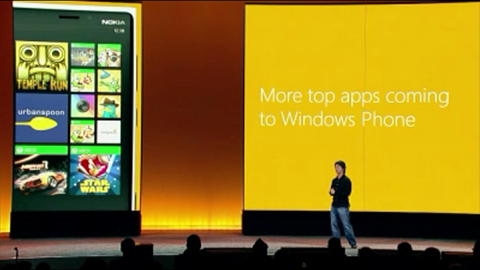
Windows Phone program manager, Joe Belfiore, kicked things off by telling the crowd about the growing number of apps in the Windows Phone Marketplace. He goes on by saying that Marketplace is now home to 120’00 apps and counting. It was also mentioned during the announcement that 46 of 50 mostly used apps are now available on the Windows Phone Marketplace. Although it wasn’t mentioned which apps were those.
Famous game titles such as Temple Run, Cut the rope and Asphalt 7 will also be available on Marketplace through GameUnity game engine.
Speaking of apps, Joe also discussed the new Skype for Windows Phone 8 by saying “we’ve built Skype so it can be integrated naturally into the phone experience.” One of the key features of the app is that it’s always on without running its code on the background. This allows the phone to be ready to receive Skype calls/messages but not at the cost of battery. However, without having a formal hands-on on the device, no one can really tell if this feature really doesn’t gulp down on your phone’s juice.
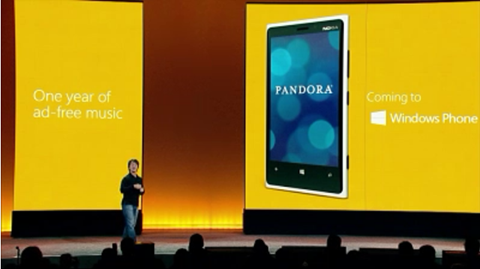
Pandora will also be available in the Windows Phone Marketplace. However, instead of just porting the app to the new OS, Microsoft decided to treat prospective buyers with one year of ad-free music service. It’s supposed to be a big surprise, but we’re not too excited about it since the service is not available for our country.
Live Apps and Lock Screen
Live Tiles is probably one of the most famous, if not the most famous facet of the OS. Microsoft decided to give the feature a minor facelift by letting the users resize the tiles to their liking. In addition to the Live Tile, the team also enhanced the Live App’s functionality.
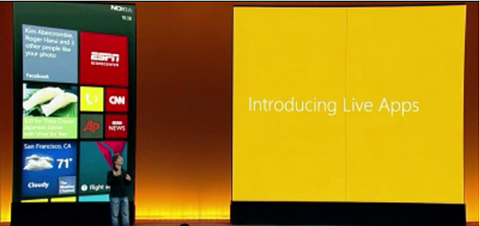
As some of you may know, this feature allows users to view updates and notification from an app without having to go inside the app itself. Microsoft took it a step further by integrating the Live App feature to the highly customizable lock screen of the Windows Phone 8. With this, users won’t even have to unlock the phone to check updates on their favorite app or SNS.
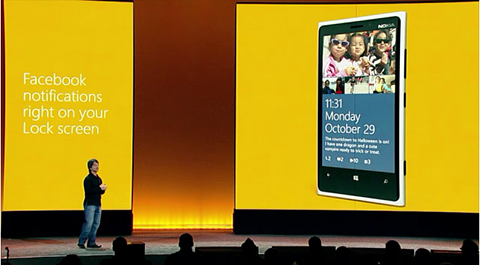
Joe mentioned that his team has worked with Facebook and Twitter to come with a version of their app which is specifically designed for the OS and can be integrated to the lock screen. Moreover, he also mentioned that a lot of developers are already working on a version of their app that can also be incorporated to the lock screen.
Data Sense
Another new feature of the Windows Phone 8 is Data Sense which monitors the data usage and can also provide a detailed information (and graphical representation) of how much data an app is consuming. This feature also has the capability to offload data when it detects that limit is almost reached.
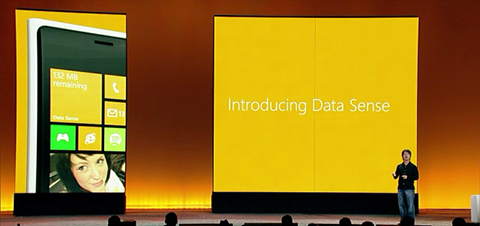
This feature isn’t actually new as it has been around on Android and iOS for quite some time already. What’s different about it, however, is that it also lets users to get more out of their data plan by allowing them to browse through a website with lesser data consumption. By how much you might ask? Well, according to the test that Joe and his team have conducted, the data consumption is reduced by up to 45%.
Furthermore, Data Sense can also point a user to a nearby Wi-Fi hotspot using the map, although we’re not sure if this feature will work locally.
Kid’s Corner
The next item on the Windows Phone 8 menu is Kid’s Corner, a feature that would certainly be appreciated by parents. In essence, Kid’s Corner is just another home screen made for smaller member of the family.
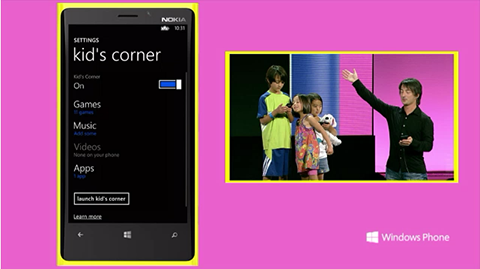
Parents can customize the home screen and include the apps/games that they want their children to have access to. The logic behind Kid’s Corner is to avoid having the real home screen messed up by the kids. The Kid’s corner can be accessed by swiping to the left of the lock screen.
People Hub and Rooms
People Hub, as some of you may know, is not your average contacts list. It shows the picture of the people you’ve recently contacted and it also has SNS integration so you can view your friend’s recent status updates without having to go to the app.
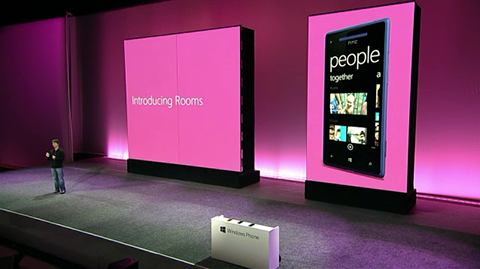
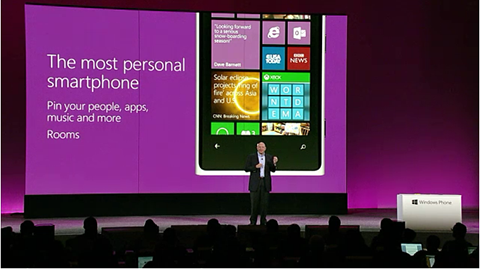
On Windows Phone 8, this purposeful feature gets more organized and personal with the addition of Rooms. This sub-category of People Hub lets users to sort and categorize their contacts into groups called Rooms. This would then allow them to interact and share contents with the people in the Room much easier. With Rooms, users can send private messages, share photos and notes to the member of the group.
Another good thing about Rooms is that it also allows user to add people who are using a phone on a different platform and still give them some of the benefits that Rooms has.
SkyDrive Integration
With Windows Phone 8, users can seamlessly transition from one Windows device to the other through SkyDrive. Not only does it allow users to easily pick up where they left off on the documents they’re working on their PC, it also allows users to make a quick voice note on their Windows Phone 8 device and access it on their other Windows 8 devices.
Moreover, SkyDrive now automatically uploads the photos you’ve taken with your WP8 device at full resolution and make readily available to your other devices.
Music Synchronization
The tracks that users have on their Windows 8 PC, including Xbox music store purchases can now be synced wirelessly to their WP8 handsets through Microsoft’s cloud service. Though not yet available, Joe also mentioned that they’ll have a synch companion app for Windows 7 and 8 as well as for Mac so users can sync iTunes contents to their WP8 smartphone.
Windows Phone 8 handsets
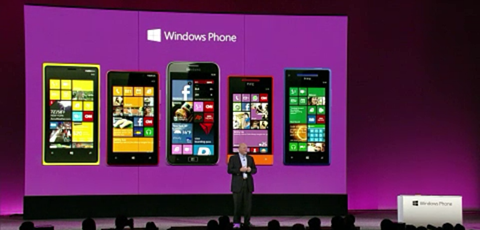
During the event, Microsoft CEO Steve Ballmer showcased three handsets that will come preinstalled with their latest mobile OS. These devices are the Nokia Lumia 920, Samsung ATIV S and HTC 8X. He also mentioned that these devices will start to hit the US shelves starting next weekend. He also discussed the telcos that will be offering these devices along with the other WP8 handsets.



Hey, I think your website might be having browser compatibility issues.
When I look at your website in Firefox, it looks fine but when
opening in Internet Explorer, it has some overlapping. I just wanted to
give you a quick heads up! Other then that, superb blog!